GarageNest documentation
GarageNest is a complete auto repair and garage booking script. Drivers book a service in a free bay slot, follow the repair live on their phone, approve the estimate line by line and pay online or at the counter. The workshop runs everything from one panel: job board, bays calendar, digital inspection with photos, estimates, invoices with US sales tax, parts and purchase orders, mechanics and clock in.
One installation is one website under your own name, logo, colours and prices. Run it as a Single garage (your own workshop) or as a Marketplace where many garages apply, you approve them, keep a commission and record their payouts. Payments are one-time payments – booking deposits, estimate deposits and invoices – through Stripe, PayPal, Paystack, Razorpay, bank transfer or at the garage (card terminal, cash, check). Nothing renews.
Choose your path through this guide
Live demo: https://garagenest.anowhosting.com (Marketplace mode, Phoenix, AZ).
Two site modes
| Single garage | Marketplace | |
|---|---|---|
| What it is | The website of one workshop: your brand, your bays, your mechanics. | A garage network for a city or region: drivers search, compare, book and pay; each garage runs its own panel. |
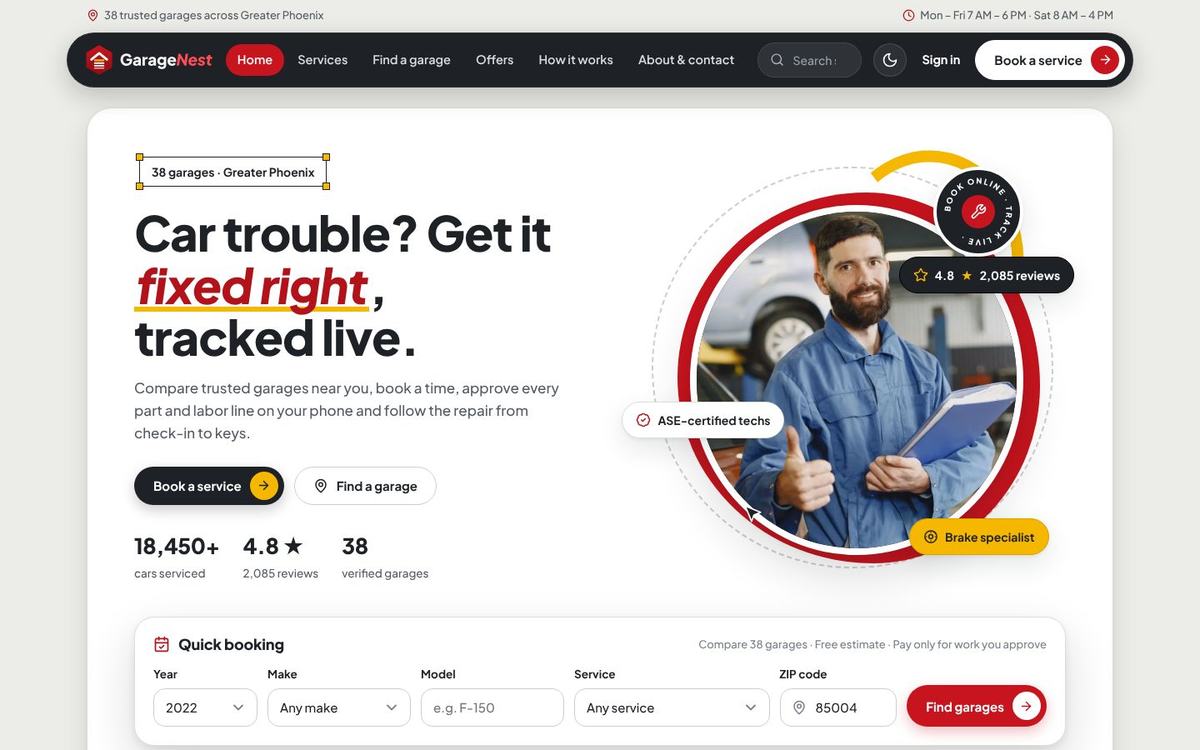
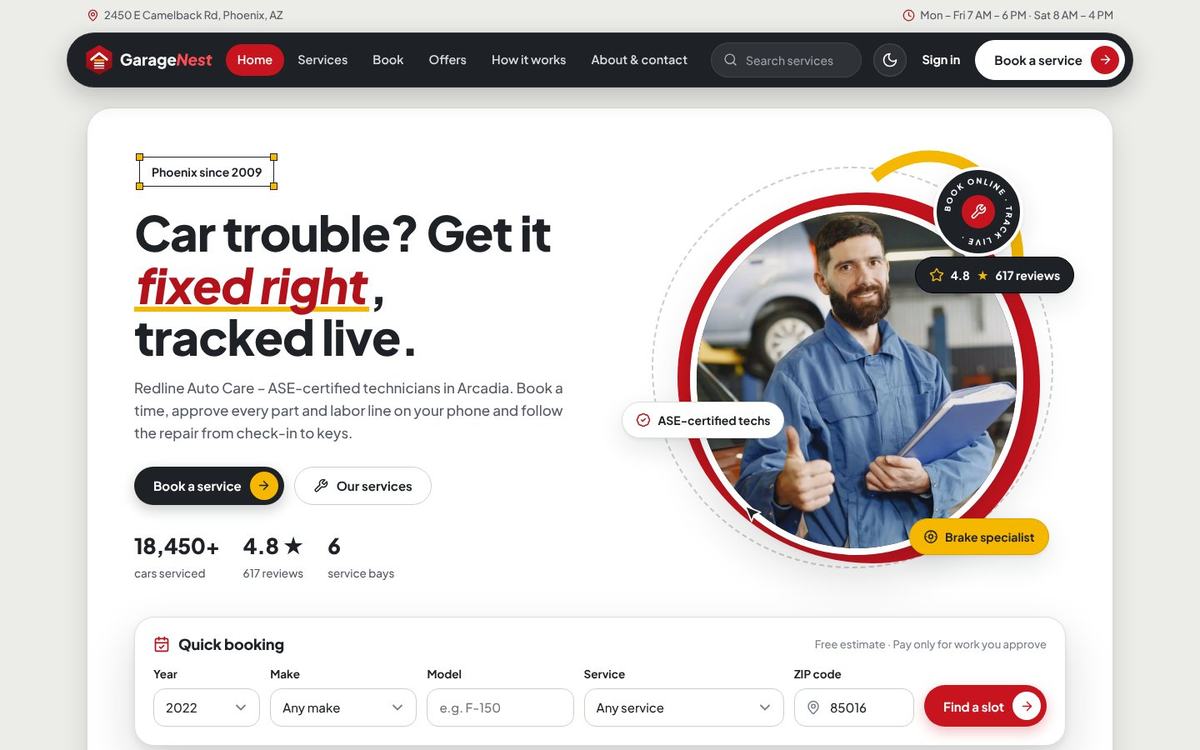
| Public website | Home with “Our team”, services, packages, book, about & contact. | Adds garage search with a map, garage profiles with prices, free slots, reviews and “List your garage”. |
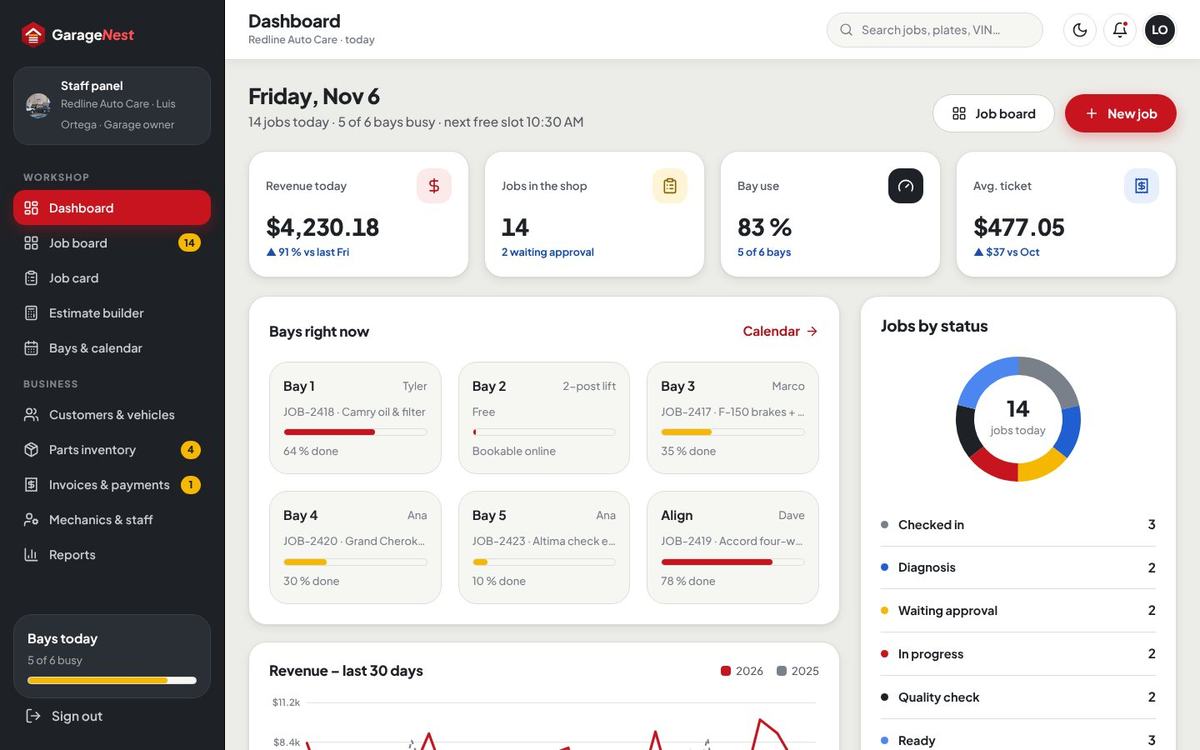
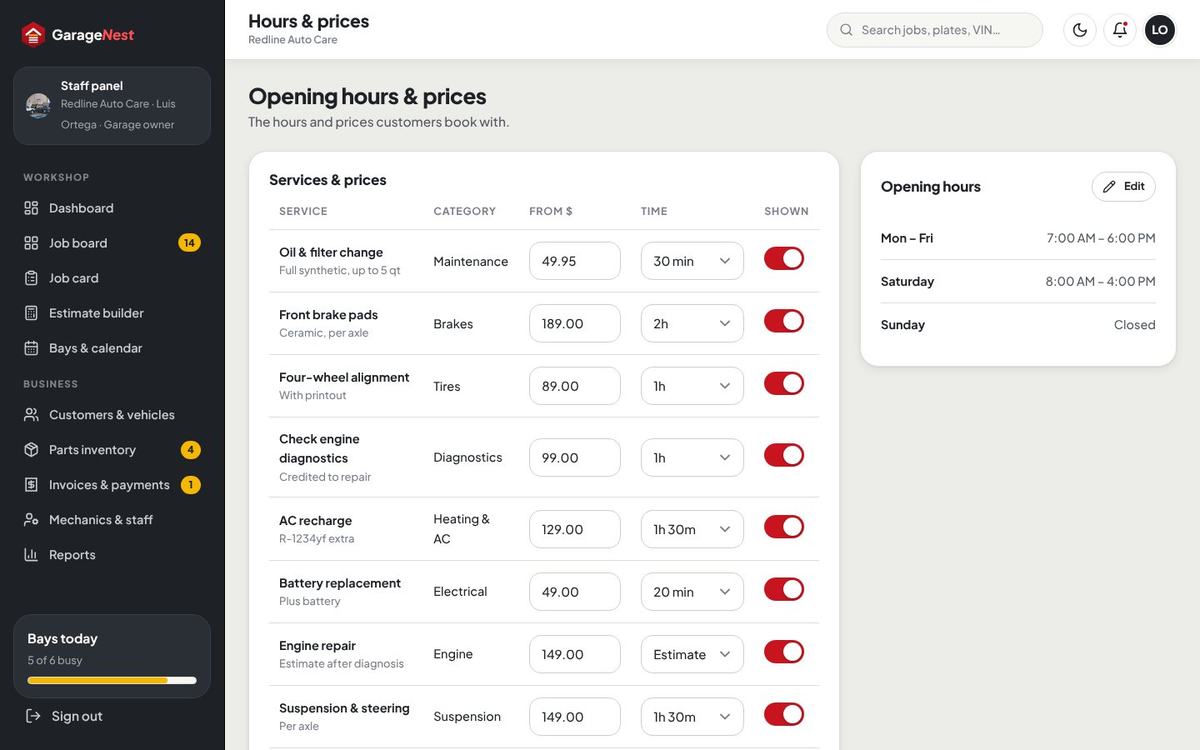
Panel at /garage | The Staff panel of your workshop (+ Reports). | The Garage panel of each approved garage (+ Profile & prices, payouts). |
| Money | All payments are yours. No commission, no payouts. | Commission per paid job (12 % default, per category or per garage), payouts recorded every two weeks. |
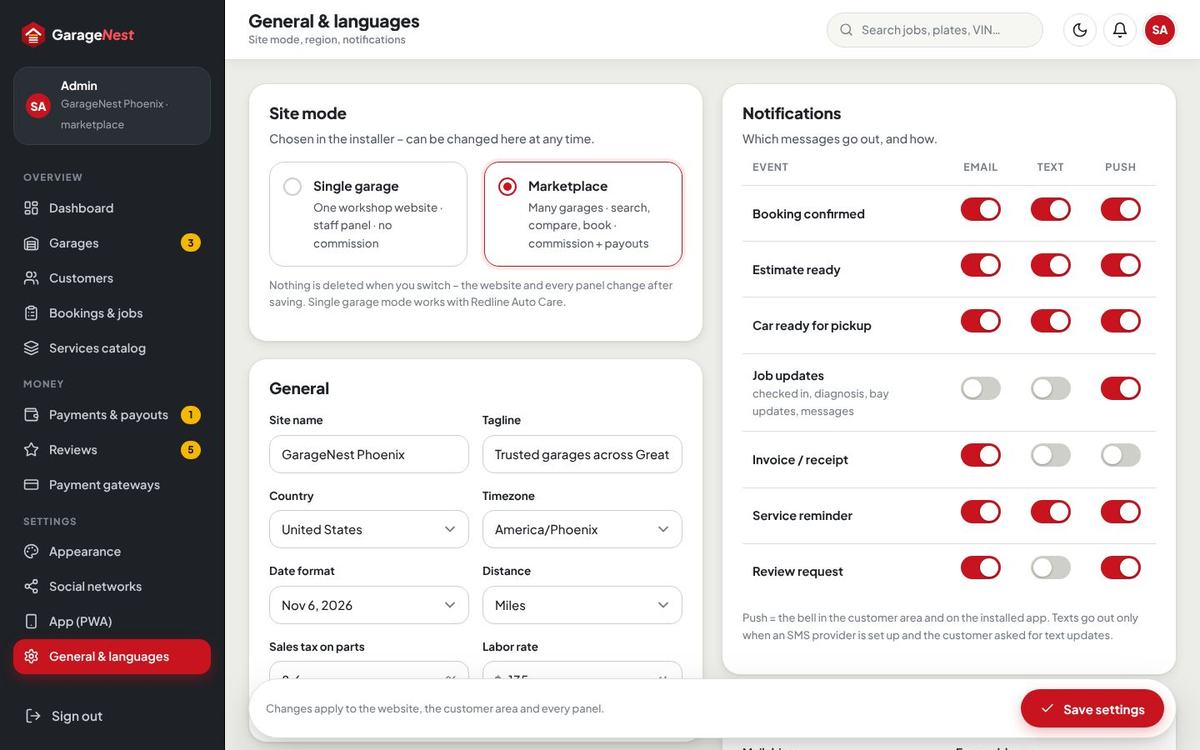
The installer asks for the mode. You can switch at any time in Admin › General & languages › Site mode; no data is lost. In Single garage mode the site’s own garage (the “house” garage) is the only one shown, the garage search, map and “List your garage” return 404, and the admin menu shows Staff panel instead of Garages.

/garage/profile).Areas, roles & logins
/Home, services, service pages, packages, garage search and profiles (Marketplace), booking, checkout, about & contact, pages./accountDashboard, my vehicles, live job tracker, estimate approval, invoices & payments, reminders, profile./garageDashboard, job board, job card, estimate builder, bays & calendar, customers, parts, invoices, staff, profile & prices, reports./adminDashboard, garages, customers, bookings & jobs, services catalog, payments & payouts, reviews and every setting.The panel addresses can be changed with ADMIN_PATH and PANEL_PATH in .env.
| Role | What it can do |
|---|---|
| Customer | Books services, keeps vehicles, follows the job live, approves or declines estimate lines, pays deposits and invoices, sets reminders, leaves reviews after a paid job. |
| Garage owner | Runs a garage in the panel: jobs, estimates, bays, customers, parts, invoices and payments, staff and their pay, the public profile, prices, opening hours, booking rules, social links and payout details. |
| Garage staff | Manager (everything of the owner except payouts), service advisor (jobs, estimates, calendar, customers, invoices and payments) or technician (assigned jobs, inspection, lines, time). The owner decides what technicians see (prices, adding lines, clock in) in Mechanics & staff › Roles & permissions. |
| Admin | Everything: garages, customers, jobs, catalog, payments, commission and payouts, reviews and every setting. Created by the installer. |
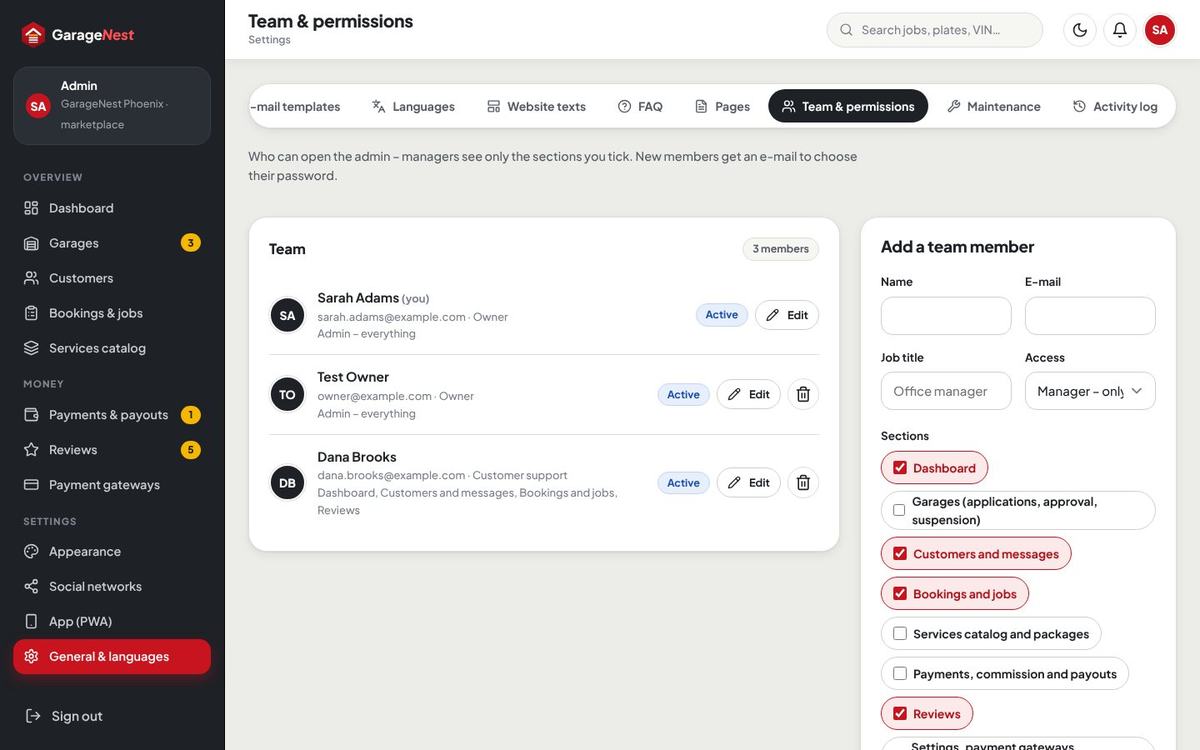
| Admin team | Team members with only the sections you tick (for example dashboard, customers, jobs and reviews) – General & languages › Team & permissions. |
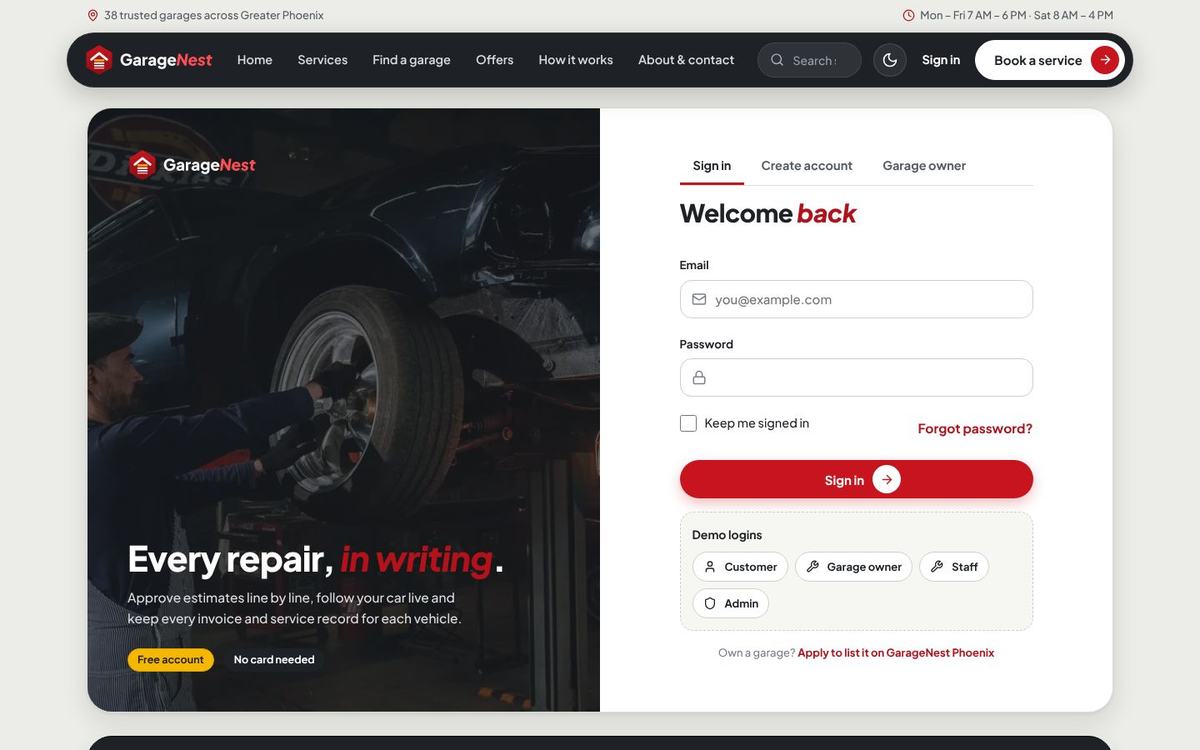
With the demo data the accounts below exist (password password). While demo mode is on, the sign-in page shows one-click buttons for the first four: /demo-login/customer, /demo-login/garage, /demo-login/staff and /demo-login/admin.
| Role | Name | |
|---|---|---|
| Customer | Megan Foster – 2021 Ford F-150 XLT in the shop (JOB-2417) | megan.foster@example.com |
| Garage owner | Luis Ortega – Redline Auto Care, Phoenix | luis.ortega@example.com |
| Staff (service advisor) | Chris Nguyen – Redline Auto Care | chris.nguyen@example.com |
| Admin | Sarah Adams – site owner | sarah.adams@example.com |
| Admin team (manager) | Dana Brooks – dashboard, customers, jobs, reviews | dana.brooks@example.com |
| Technicians | Marco Ruiz (ASE Master), Ana Delgado (diagnostics) | marco.ruiz@example.com, ana.delgado@example.com |
Features
| Area | Included |
|---|---|
| Website | Home with quick booking (year, make, model, service, ZIP), ticker, services with prices from, how it works, why us band with live numbers, one-time service packages, top garages / our team, reviews, FAQ, install-app block with QR, footer with social networks; services list and service pages; about & contact; your own pages; SEO, sitemap and robots. |
| Marketplace | Garage search by location, service and vehicle on a map (MapLibre with free OpenFreeMap tiles), filters, garage profiles with gallery, rating breakdown, services and prices, hours, next free slots, map and social links; “List your garage” applications with documents; approve, reject, suspend; commission per category or garage; payouts. |
| Booking | Vehicle by saved car, year / make / model, plate and VIN; one or more services or a package; problem description with photos and videos; real bay slots from opening hours, bays, booked work, slot length, buffer and lead time – a bay is never double-booked; drop-off, wait in the lounge or pickup & delivery; deposit or pay at the garage; calendar file (.ics). |
| Job flow | Check-in → diagnosis → estimate → in progress → quality check → ready → closed, with a timeline the customer sees live; technicians, bays, promised time; digital inspection (good / soon / now) with photos; customer messages. |
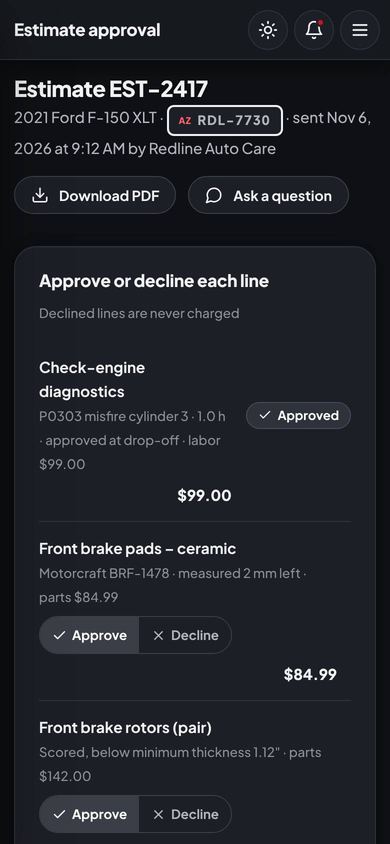
| Estimates | Parts + labor per line, recommended and pre-approved lines, urgency, shop supplies, sales tax on parts; the customer approves or declines each line; deposit after approval (fixed or %); versions, reminders, expiry, PDF. |
| Invoices & payments | Invoice from the approved lines, booking and estimate deposits credited, pay link by e-mail / text, Stripe, PayPal, Paystack, Razorpay, bank transfer with receipt, card terminal / cash / check at the counter, receipts, refunds, PDFs. |
| Workshop | Kanban job board, bays calendar with a now line, parts stock with minimums, suppliers, purchase orders (order and receive), staff with roles, pay model and efficiency, clock in / out, reports with CSV / Excel export. |
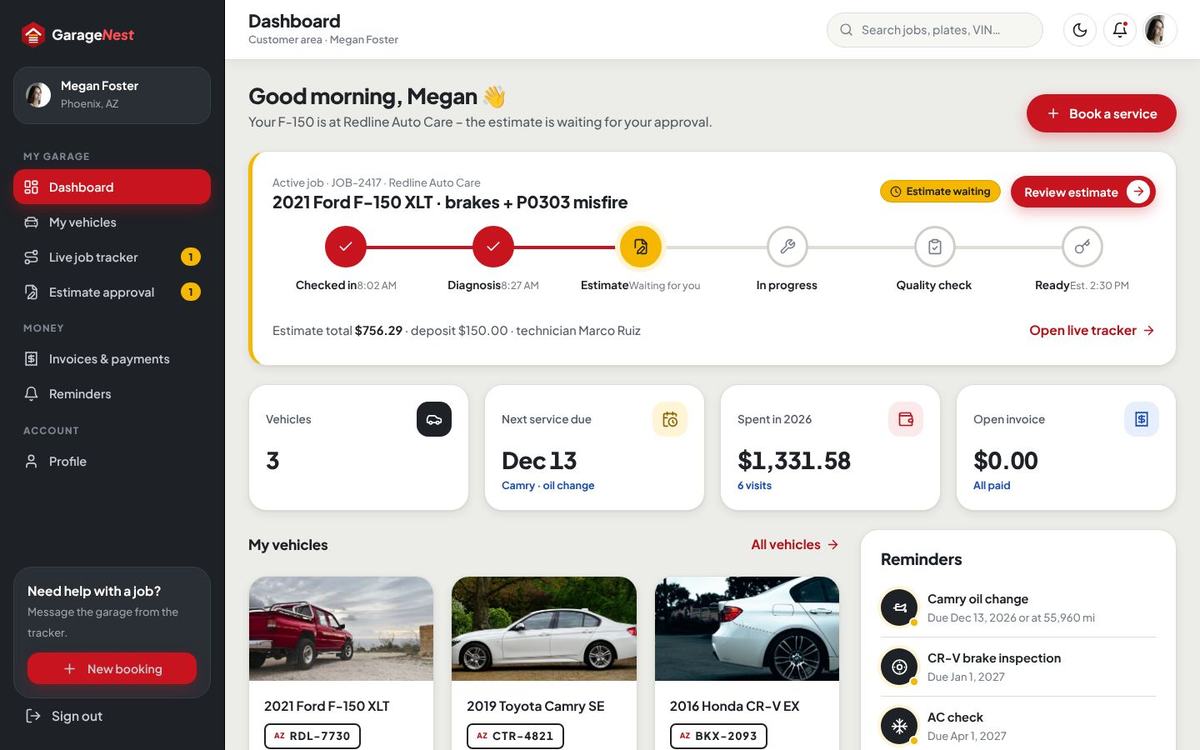
| Customer area | Dashboard with the active job, vehicles with service history and health, live tracker, estimate approval, invoices and receipts, service reminders by date and mileage, notification choices (e-mail / text), profile, two-step sign-in, data export. |
| Messages | In-app bell, branded e-mails and optional text messages (Twilio or Vonage) for every event, each switchable per channel. |
| Your brand | Light and dark theme, 6 colour presets plus custom colours with automatic AA button text, logos and favicon, font, social networks with your own icons, installable app (PWA) with offline page, languages with auto-translate, editable texts and e-mail templates. |
Server requirements
| Item | Needed |
|---|---|
| PHP | 8.3 or newer (8.4 works) |
| PHP extensions | pdo, pdo_mysql (or pdo_sqlite), mbstring, openssl, tokenizer, xml, ctype, json, fileinfo, curl, gd (with WebP), zip |
| Database | MySQL 5.7+ / MariaDB 10.3+ (recommended) or SQLite 3 |
| Web server | Apache or LiteSpeed with mod_rewrite (the .htaccess files are included), or Nginx |
| Cron | One cron job every minute (unpaid bookings, estimate expiry, reminders, review requests, backups) |
| HTTPS | An SSL certificate – needed for the payment gateways and the installable app |
Everything needed to run is inside the package, including the vendor folder – no Composer, no Node and no build step on your server.
Package contents
GarageNest-v1.0.1.zip
├── garagenest/          the script (upload this)
│   ├── app, bootstrap, config, database, resources, routes, storage, vendor
│   ├── public/          assets (CSS, JS, fonts, icons, demo photos), uploads, codester/ (online documentation)
│   └── index.php + .htaccess   let the whole folder run from a document root
├── documentation/       this guide (open index.html)
└── START-HERE.txt
Install on cPanel / shared hosting
- Create the domain. In cPanel Domains add your domain or sub-domain (for example
repairs.example.com) and note its document root. - Create a database. cPanel MySQL® Databases: a new database, a new user with a strong password, and add the user to the database with All privileges.
- Choose PHP 8.3+. cPanel Select PHP Version or MultiPHP Manager; switch on the extensions listed under Server requirements.
- Upload. Upload
GarageNest-v1.0.1.zipwith the File Manager, Extract it, and move the contents of thegaragenestfolder into the document root, so thatindex.php,.htaccess,app,public… sit directly inside it. Show hidden files in the File Manager so the.htaccessfiles are moved too.- The included
index.phpand.htaccesssend every request to thepublicfolder and block the program folders – nothing private can be opened from the browser. Page addresses such as/garageand/garageskeep working. - Alternatively set the document root of the domain to the
publicfolder (Domains › Manage › Document root). Both ways work.
- The included
- Open your domain. The installer starts automatically (see The browser installer).
- Add the cron job in cPanel Cron Jobs, every minute (see Cron job).
- Switch on HTTPS (cPanel SSL/TLS Status → AutoSSL or Let's Encrypt), then Admin › General & languages › Business & accounts › Always use https://.
Install on a VPS (Nginx / Apache)
cd /var/www
unzip GarageNest-v1.0.1.zip
mv garagenest /var/www/garagenest
chown -R www-data:www-data /var/www/garagenest
chmod -R 775 /var/www/garagenest/storage /var/www/garagenest/bootstrap/cache /var/www/garagenest/public/uploads /var/www/garagenest/database
Nginx
server {
    listen 80;
    server_name repairs.example.com;
    root /var/www/garagenest/public;
    index index.php;
    client_max_body_size 64M;
    gzip on;
    gzip_types application/json application/javascript text/css image/svg+xml application/manifest+json;

    location / { try_files $uri $uri/ /index.php?$query_string; }
    location ~ \.php$ {
        include snippets/fastcgi-php.conf;
        fastcgi_pass unix:/run/php/php8.3-fpm.sock;
    }
    location ~* \.(css|js|woff2)$ { expires 1y; add_header Cache-Control "public, immutable"; try_files $uri /index.php?$query_string; }
    location ~* \.(webp|png|jpe?g|svg|ico)$ { expires 30d; try_files $uri /index.php?$query_string; }
    location ~ /\.(?!well-known) { deny all; }
}
Set client_max_body_size (and PHP's upload_max_filesize / post_max_size) at least as large as the biggest booking photo or video you allow in Booking & workshop. SSL: certbot --nginx -d repairs.example.com.
Apache
<VirtualHost *:80>
    ServerName repairs.example.com
    DocumentRoot /var/www/garagenest/public
    <Directory /var/www/garagenest/public>
        AllowOverride All
        Require all granted
    </Directory>
</VirtualHost>
Then open the domain in the browser – the installer starts – and add the cron job for the web server user: crontab -u www-data -e.
Install on Windows (XAMPP / Laragon)
- Install XAMPP or Laragon with PHP 8.3+ and start Apache and MySQL.
- Unzip the package and copy the folder
garagenesttoC:\xampp\htdocs\garagenest(Laragon:C:\laragon\www\garagenest). - Create an empty database in phpMyAdmin (for example
garagenest, collationutf8mb4_unicode_ci). - Open
http://localhost/garagenestand follow the installer. - Or, from a command prompt in that folder:
php artisan serveand openhttp://127.0.0.1:8000.
The browser installer
On the first visit every address redirects to /install. The installer checks the server, writes the .env file with a new application key and sets up the database.
- Requirements – PHP version, extensions and writable folders, each with a clear mark.
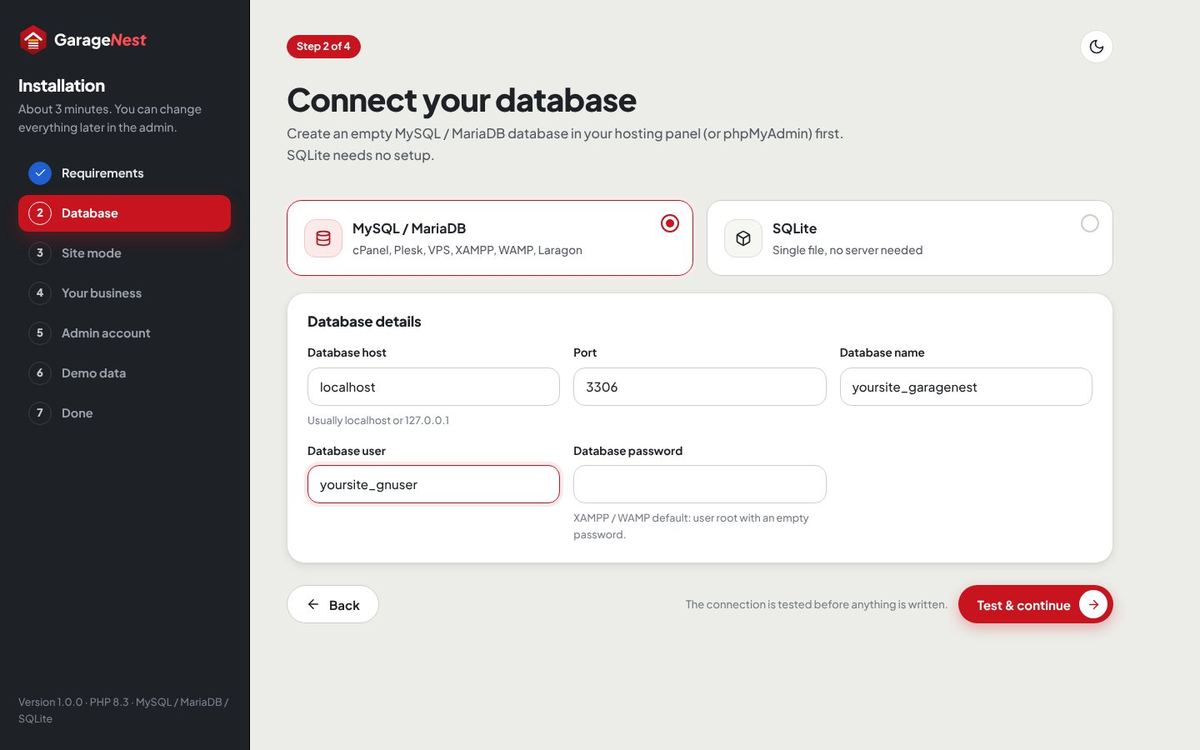
- Database – MySQL / MariaDB (host, port, name, user, password – the connection is tested before anything is written) or SQLite (no settings). A database that already holds a GarageNest site is refused, so nothing is mixed.
- Site mode – Single garage or Marketplace.
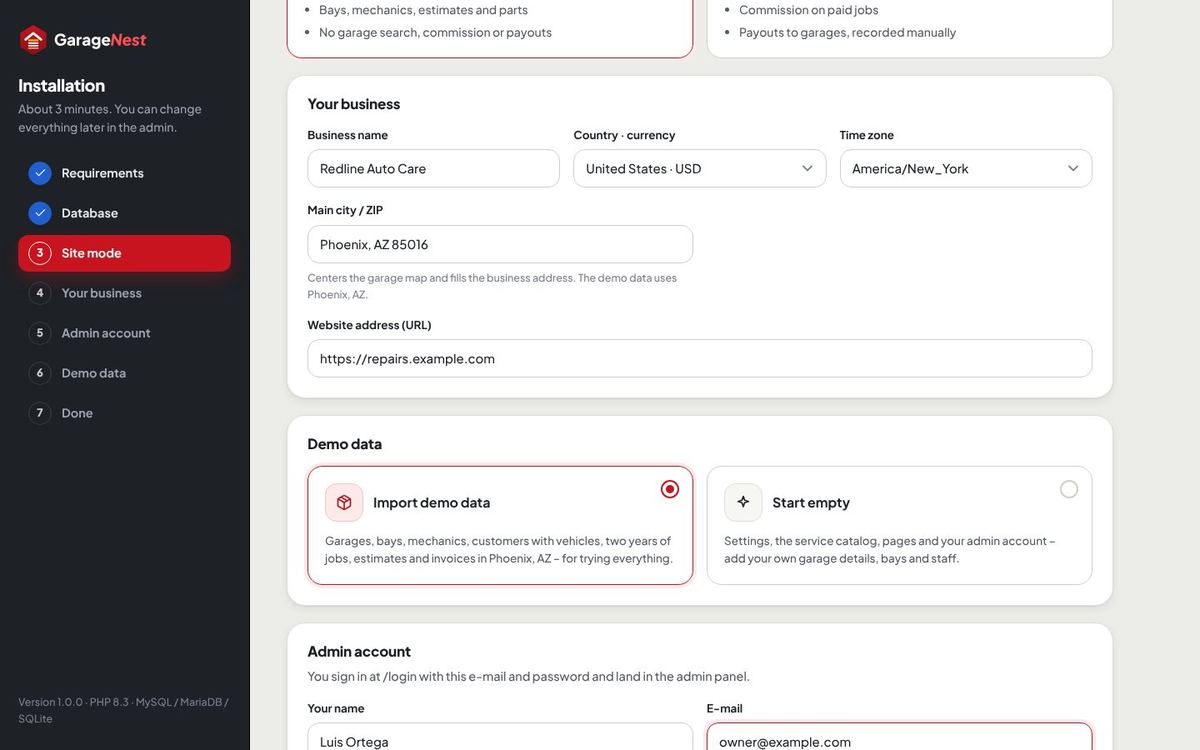
- Your business – business name, country and currency, time zone (new installs start with
America/New_York), main city / ZIP (centers the map), default commission (Marketplace), website address. - Demo data – Import demo data or Start empty.
- Admin account – your name, e-mail and password.
- Progress – the import runs in short steps with a progress bar, each well under three seconds on a normal host, so it finishes on small shared hosting too. If the browser is closed, open the address again and press Retry: finished steps are not repeated.
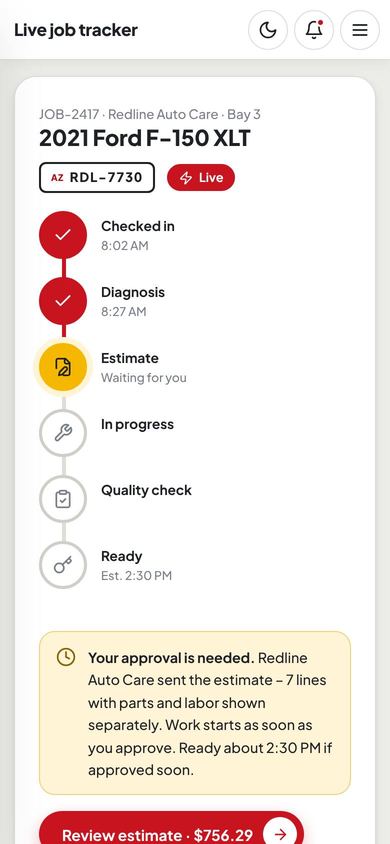
The demo data tells one story in Phoenix, Arizona (time zone America/Phoenix): Redline Auto Care on E Camelback Rd with 6 bays and its team, and in Marketplace mode 38 more active garages, applications waiting and a suspended garage; about 12,000 customers with 16,000 vehicles and two years of bookings, jobs, estimates, invoices, payments, reviews and payouts. Today Megan Foster’s 2021 Ford F-150 XLT is in the shop (JOB-2417, estimate EST-2417 waiting for her approval), the job board is full and the calendar follows the clock. The installer then locks itself (storage/app/installed.lock). To install again on a fresh database, delete that file and .env.
Start empty for your real website. You get the service catalog with categories, packages, pages, FAQ, e-mail templates, the built-in social networks, 51 US sales tax rates and the default settings (United States, USD, English, America/New_York), ready for your garage details, bays and staff.
Cron job & scheduled tasks
Add one cron job that runs every minute (cPanel Cron Jobs → “Once Per Minute”):
* * * * * cd /home/yoursite/repairs.example.com && php artisan schedule:run >> /dev/null 2>&1Use the real path of the folder that holds artisan. On some hosts the PHP binary has a version in its path, for example /usr/local/bin/ea-php83 or /opt/cpanel/ea-php83/root/usr/bin/php. General & languages › Maintenance shows the exact line for your server and when the cron last ran.
| Task | When | What it does |
|---|---|---|
gn:daily | every 10 minutes | Releases deposit bookings nobody paid within the time you set, expires old estimates, sends the appointment reminder the day before, the review request after pickup and service reminders that are due – each one once. Nothing is charged automatically. |
gn:backup --scheduled | 2:00 AM | Compressed database backup when automatic backups are on (every night or every Sunday). |
gn:prune | daily | Removes old read notifications and activity rows. |
gn:demo-today | every 5 minutes, demo mode only | Keeps the demo current: today’s board, appointments and shifts follow the clock at any hour. |
gn:demo-reset --force | every 6 hours, demo mode only | Reloads fresh demo data, so visitors always find the demo in order. |
First steps after installing
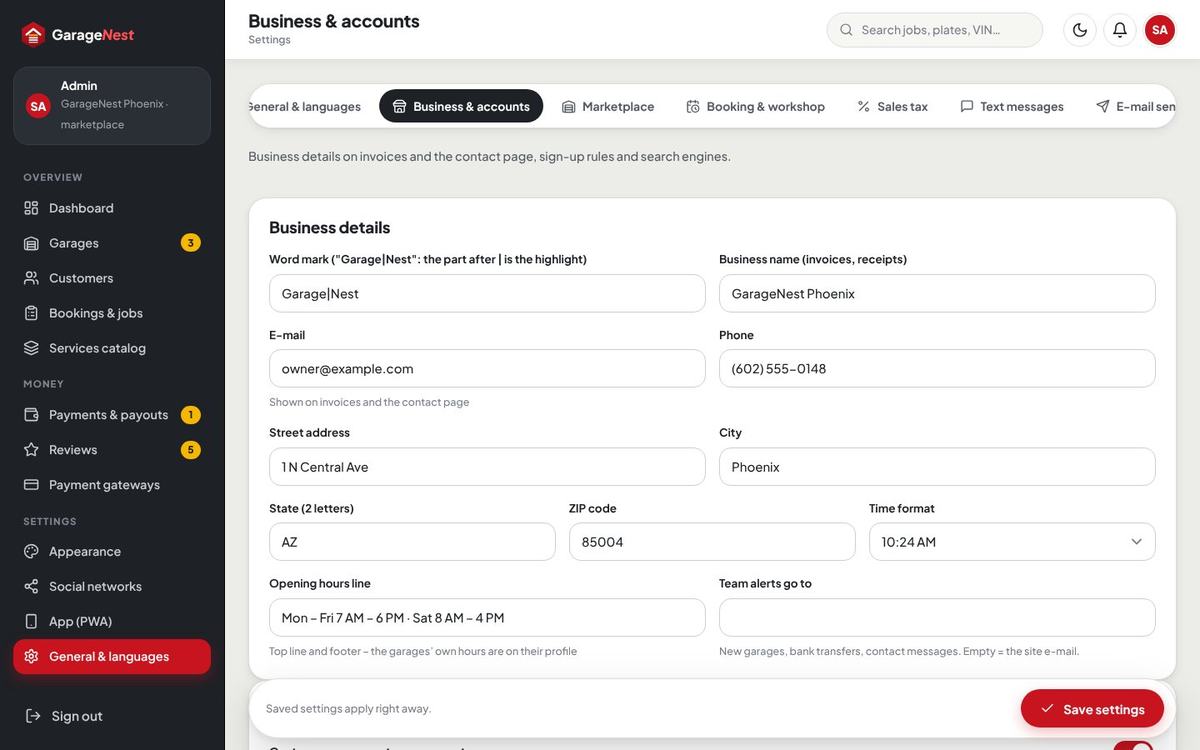
- Business details – General & languages › Business & accounts: name on invoices, address, phone, opening hours line, team alert e-mail.
- Your garage – in Single garage mode open the Staff panel (
/garage): opening hours, bays, prices, staff. In Marketplace mode your own garage is the house garage; other garages apply through “List your garage”. - Prices & rules – labor rate, shop supplies, deposits, slot length, buffer, cancellation – see General, booking & workshop.
- Sales tax – check your state’s rate and whether labor is taxed (Sales tax).
- Payments – switch on your gateways and paste their keys and webhook URLs (Payment gateways).
- E-mail and text messages – SMTP account, optional Twilio or Vonage.
- Look – logo, colours, social networks, app icons.
Home, services & packages
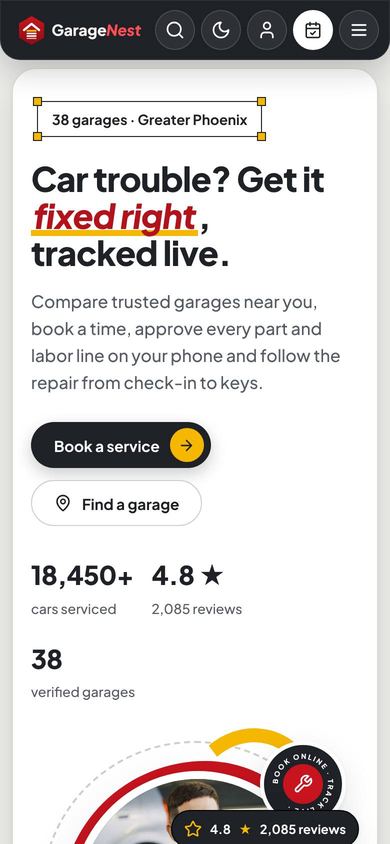
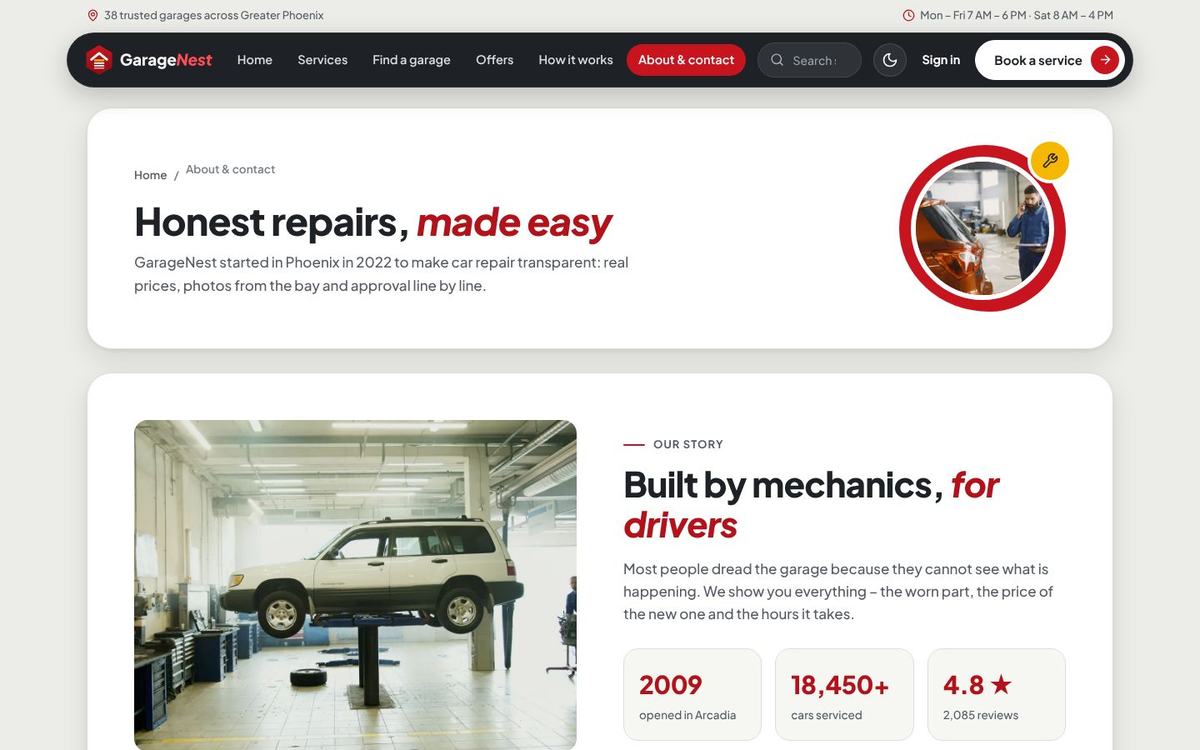
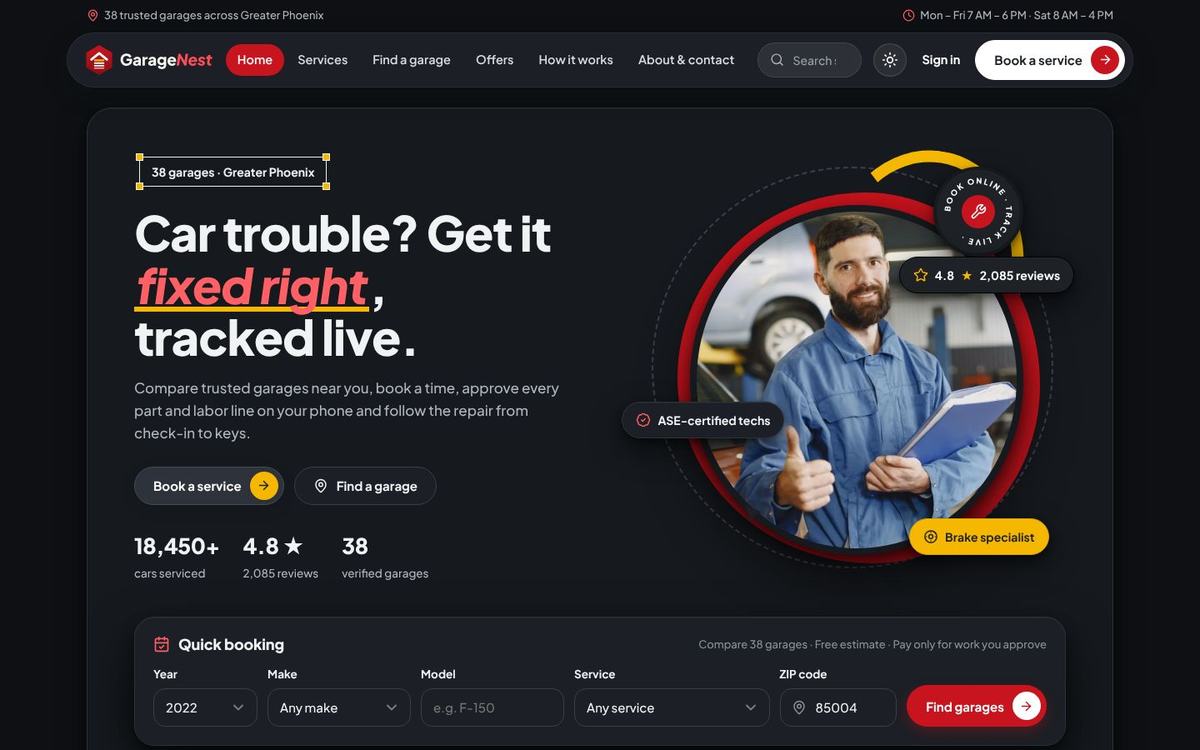
Every block of the home page reads its texts, photos, numbers and lists from General & languages › Website texts: top line, header menu, hero title with highlighted words (**word**), photo, floating chips, numbers (live counts with :count, :rating, :reviews), ticker words, how it works, why us band, packages, top garages (Marketplace) or technicians (Single garage), reviews, FAQ and the install-app block.

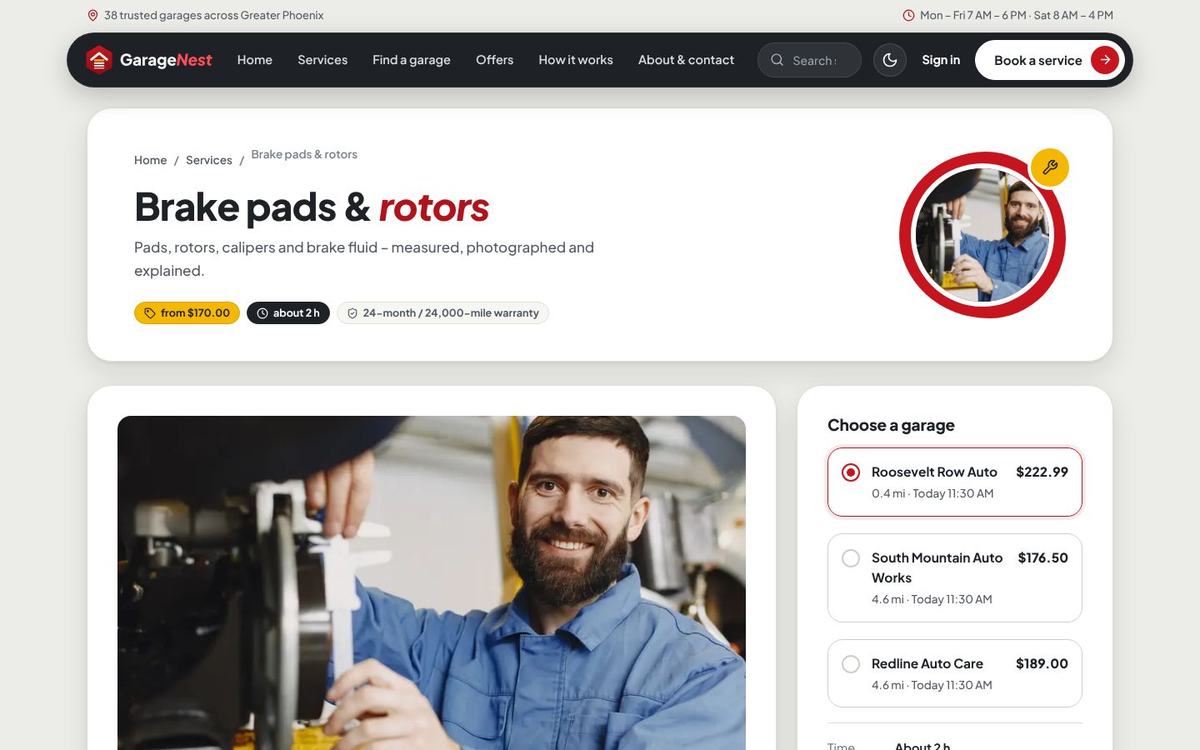
Service packages (for example Basic care $79, Road-trip ready $149, Full care $299) are fixed-price, one-time packages with their own list of included work; they are booked like a service. Manage them in Admin › Services catalog.
Garage search & profiles
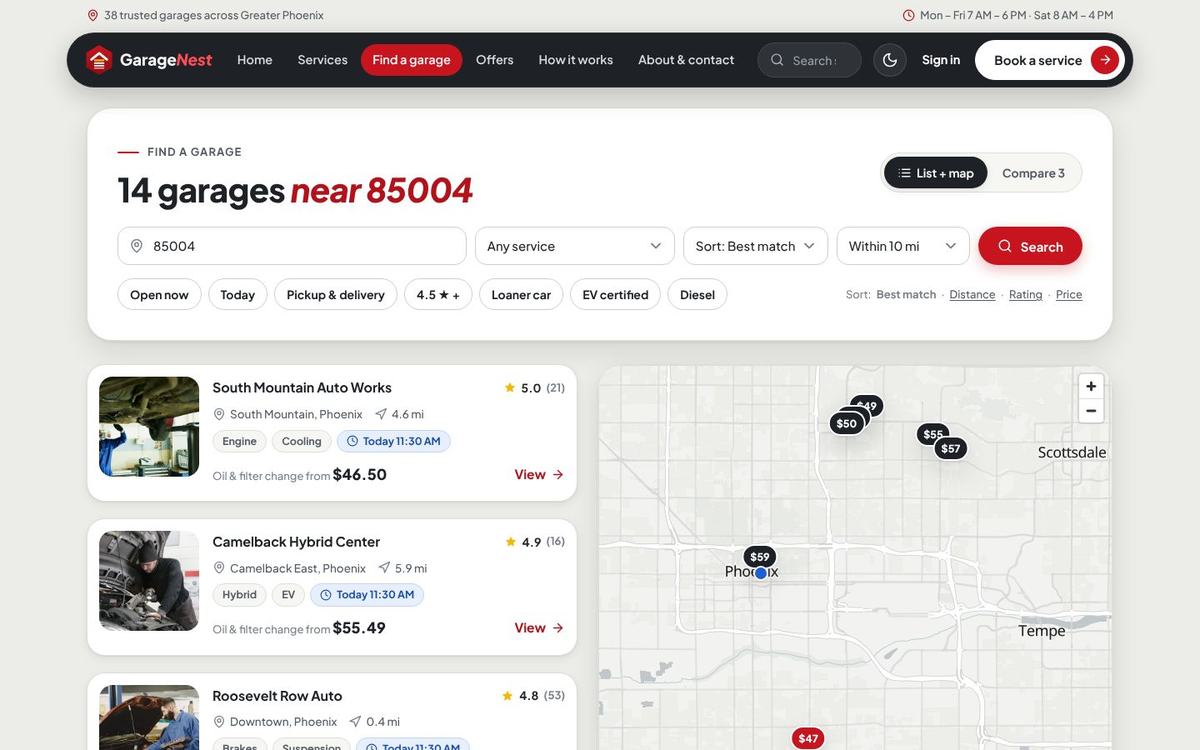
Marketplace only. Drivers search near a ZIP or their location, filter by service, open now, pickup & delivery, rating, distance and features, and see the garages on a map. Each card shows the rating, distance, a sample price and the next free slot; the vehicle chosen on the home page travels along to the booking.
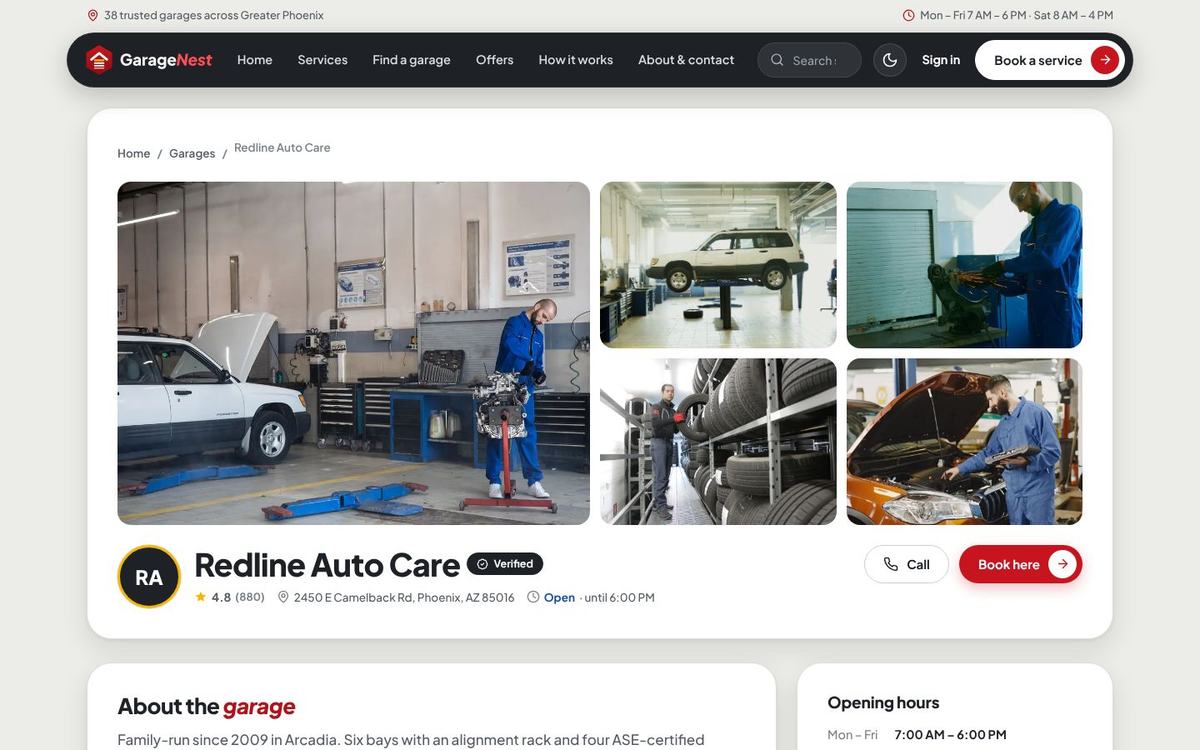
Booking a service
- Vehicle – a saved vehicle, or year, make, model, mileage, plate and VIN (optional). Vehicles are matched by VIN or plate, so no duplicates.
- Services – one or more services of that garage or a package; the summary shows prices from, time and the deposit.
- Problem – a description plus photos or short videos (limits in Booking & workshop).
- Day and time – only real free times: the garage’s opening hours, bays that take that kind of work, appointments and open jobs already planned, slot length, buffer and the earliest booking time. Two people can never book the same bay at the same time.
- Drop-off – leave the car, wait in the lounge, or pickup & delivery with an address and the garage’s fee.
- Contact – signed-in customers are filled in; new customers get an account with their booking (when guest booking is allowed).

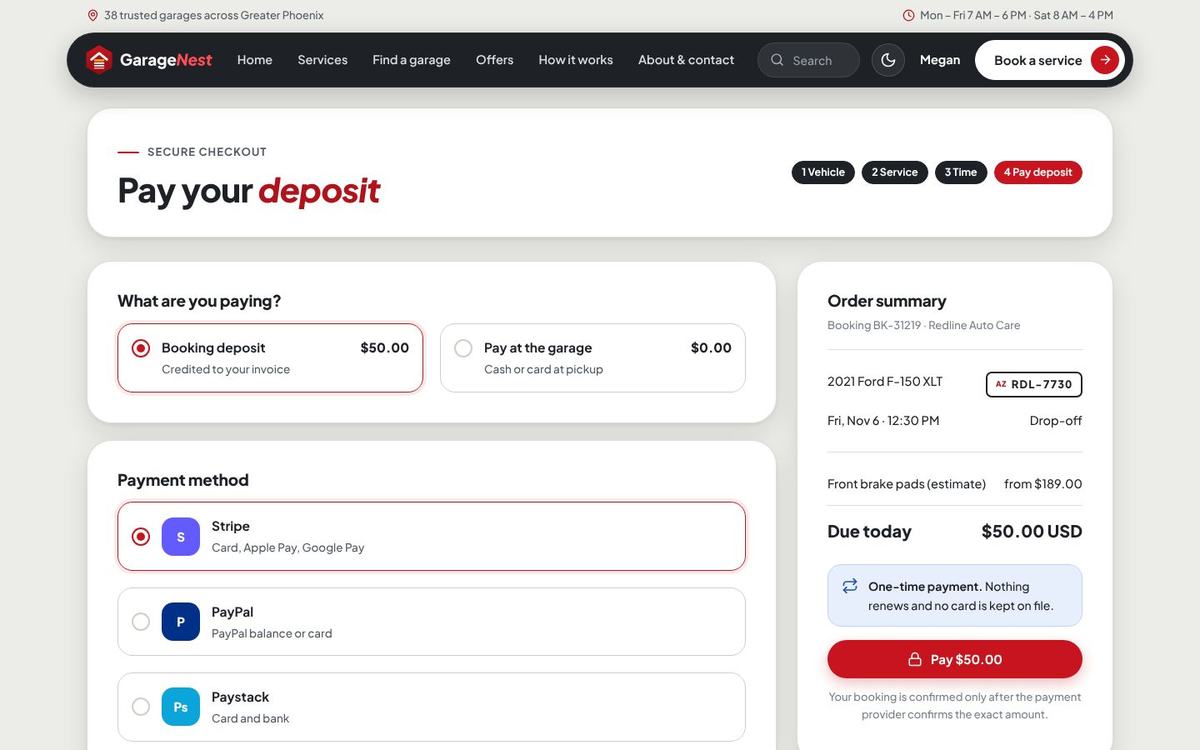
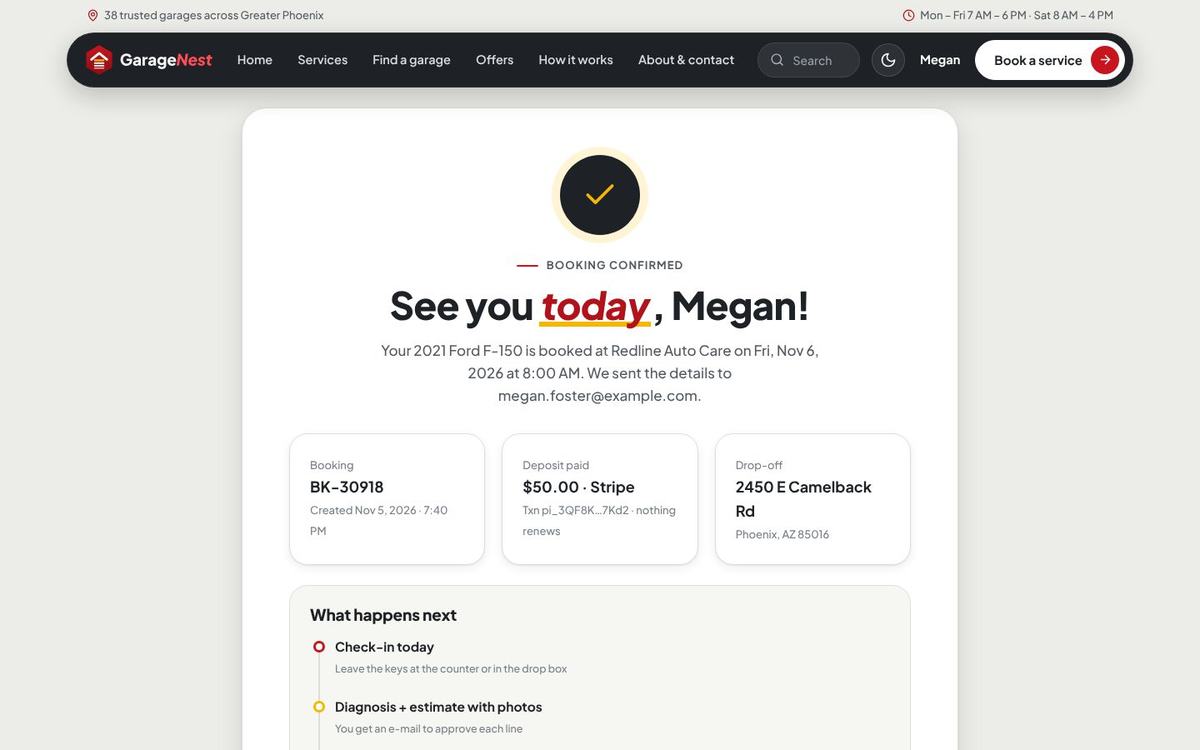
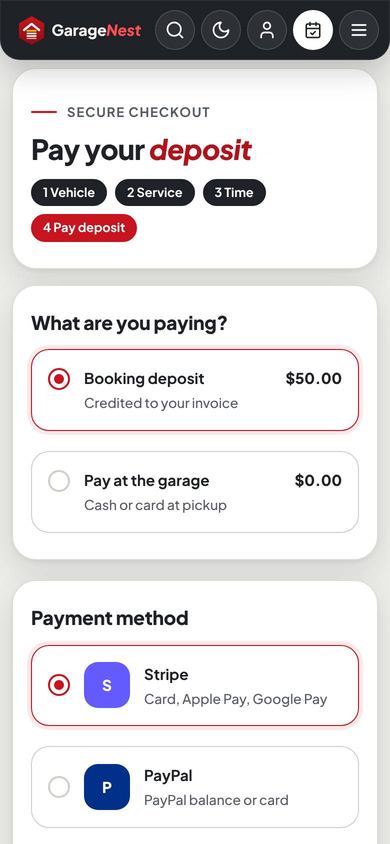
When the services ask for a deposit, the customer pays it on the checkout page or chooses Pay at the garage (when allowed). Unpaid online deposits are released after the time you set, so the slot opens again. The confirmation page offers a calendar file and the next steps.
The customer area
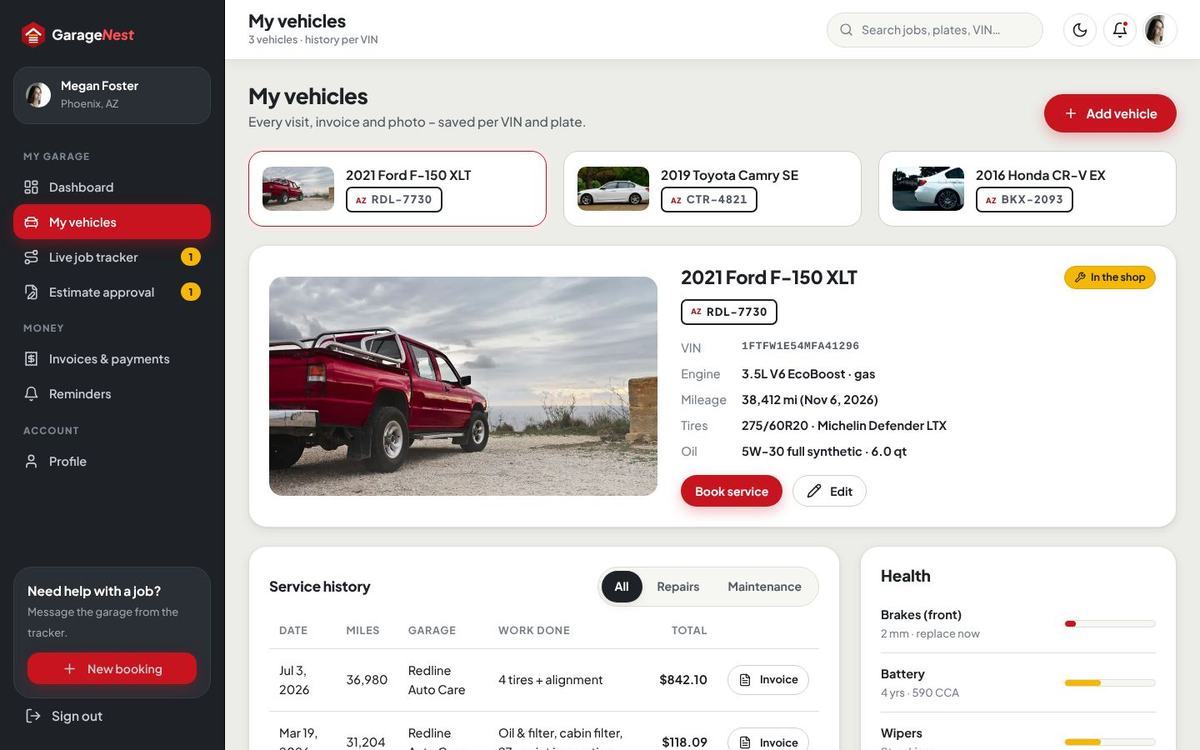

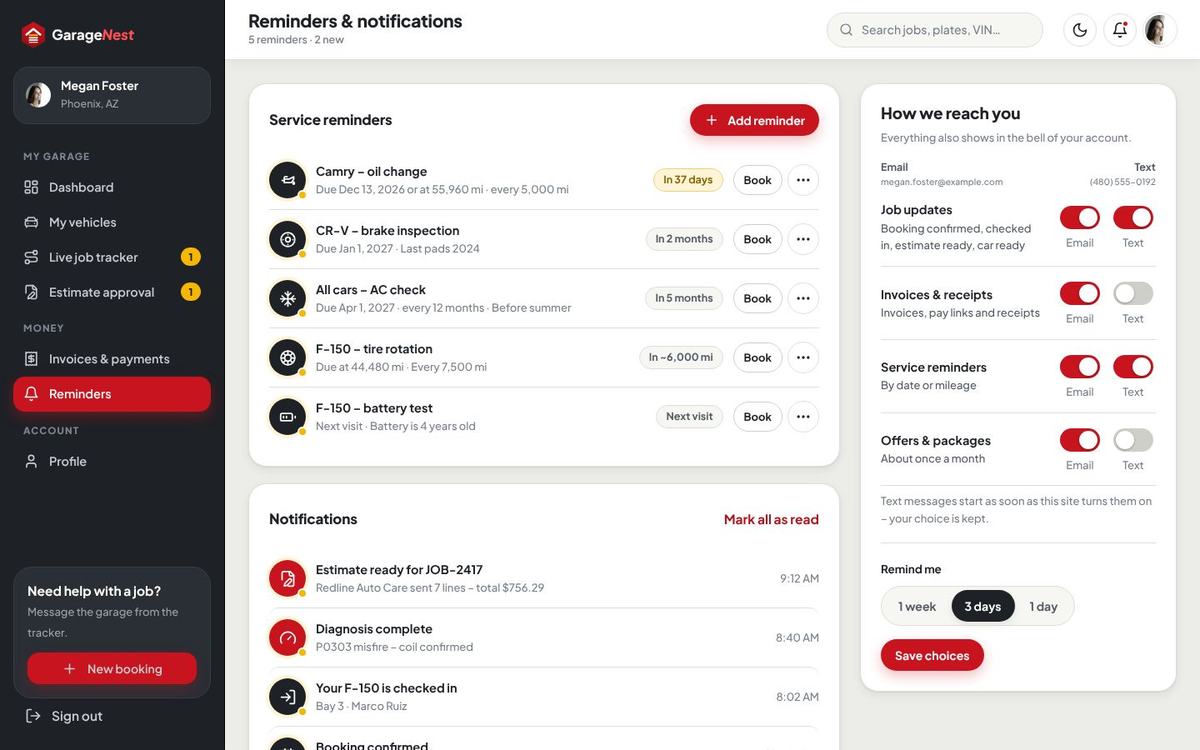
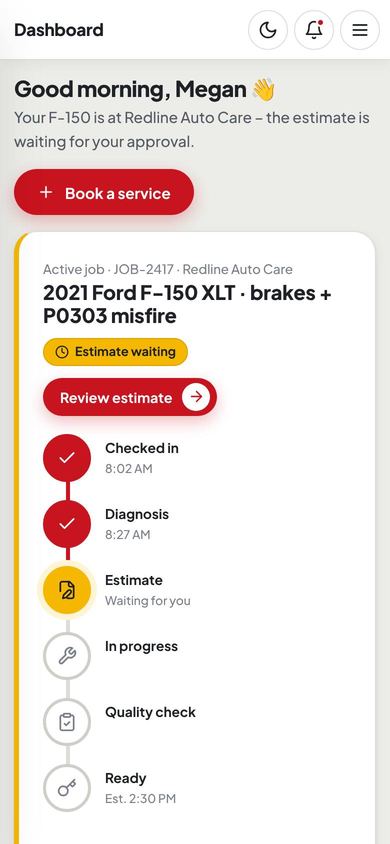
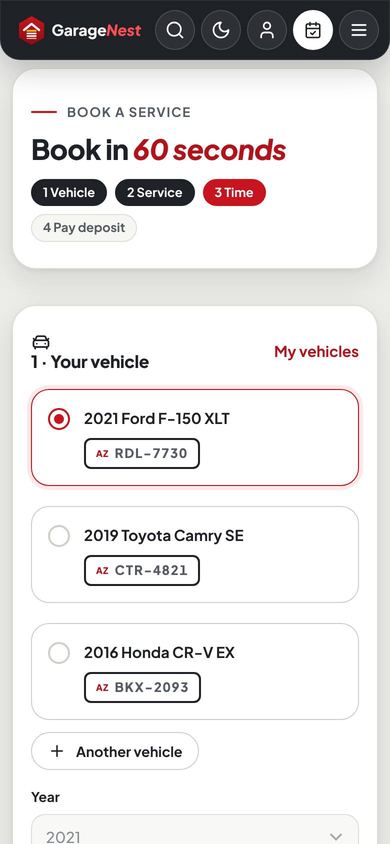
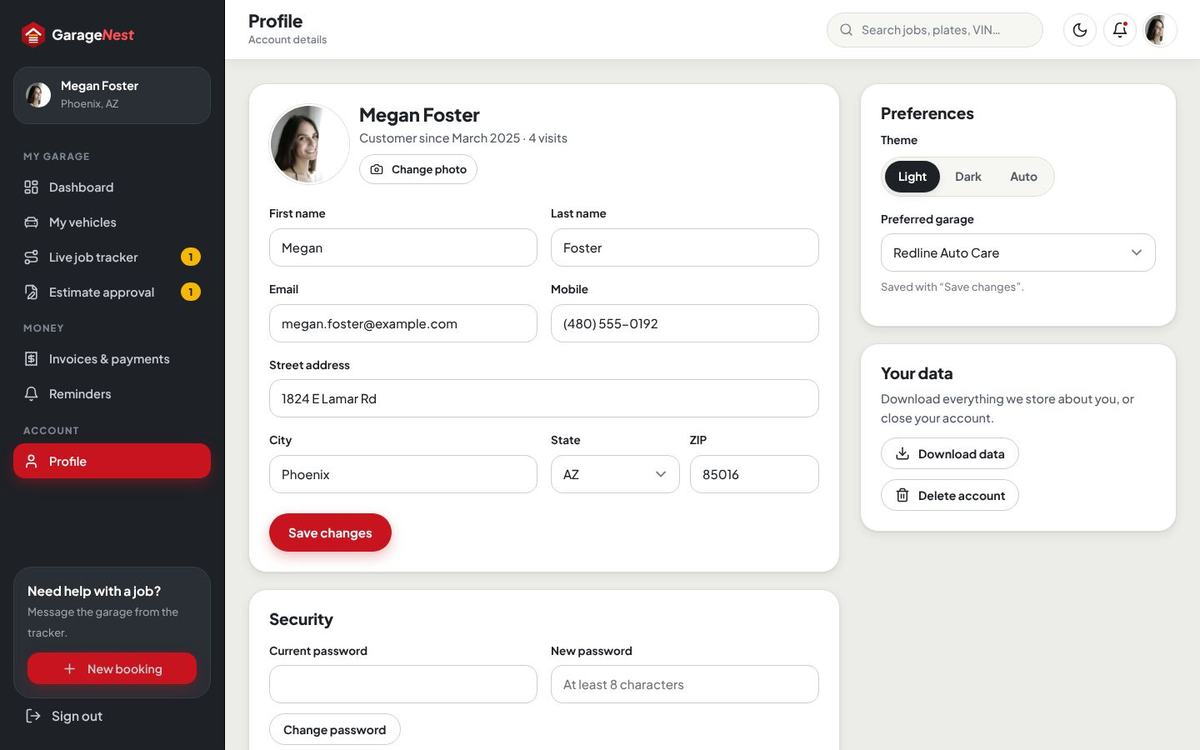
In Profile customers change their details, password and preferred theme, switch on two-step sign-in (authenticator app with recovery codes), download their data and close the account (refused while a car is in the shop or an invoice is open).
From booking to pickup
| Stage | Who | What happens |
|---|---|---|
| Booking | Customer | Books a slot, pays the deposit or chooses to pay at the garage. Bell, e-mail and (optional) text to customer and garage. |
| Checked in | Advisor | Checks the car in from the calendar (or as a walk-in): mileage, complaint, bay, technician, promised time. A job card JOB-… is opened. |
| Diagnosis | Technician | Digital inspection with good / soon / now and photos, notes, time log. |
| Estimate | Advisor | Builds the estimate (parts + labor per line), sends it. The customer approves or declines each line on the phone; a deposit can be asked after the approval. |
| In progress | Technician | Works the approved lines only; parts are taken from stock. |
| Quality check | Advisor / lead | Final check and road test. |
| Ready | System | The invoice is issued from the approved lines, deposits are credited, the customer gets a pay link. |
| Closed | Advisor | Paid and picked up. Service reminders are planned and a review request goes out later. |
The customer follows every step in the live job tracker – stages, photos and notes from the technician, the estimate, messages and the pickup time.

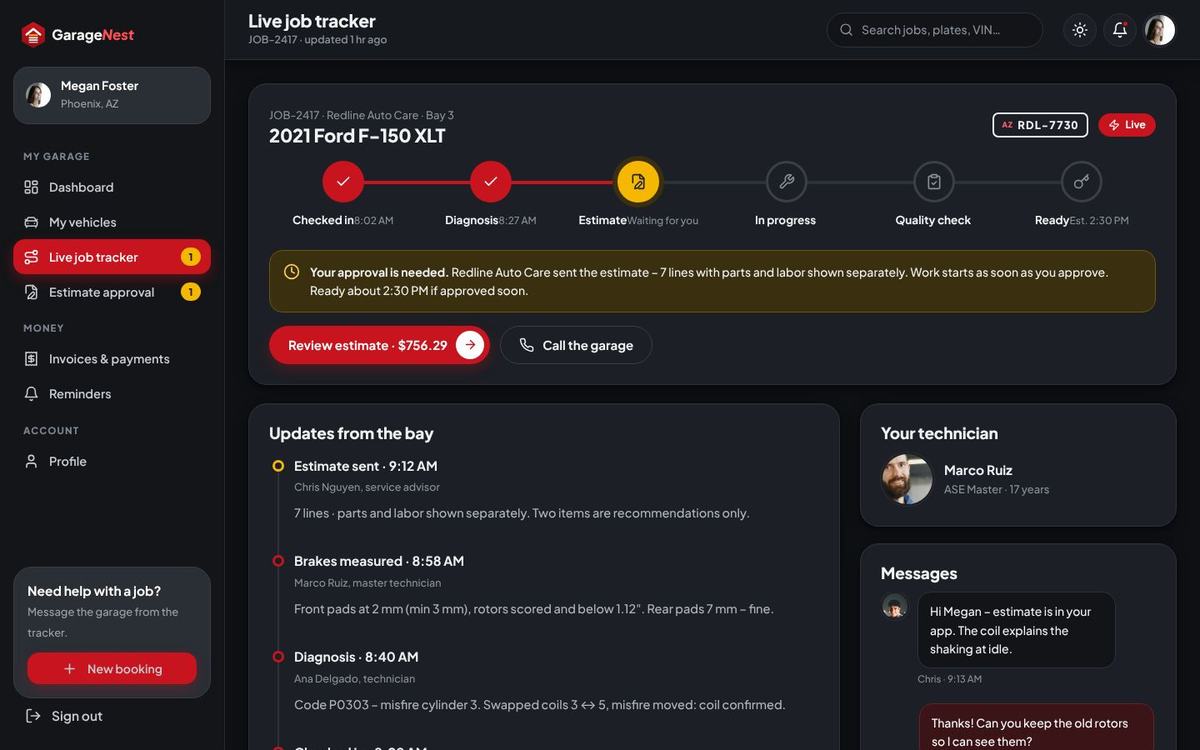
Check-in & the job card
Open an appointment in Bays & calendar and press Check in, or use New job for a walk-in. The job card holds the vehicle, complaint, customer, stage, bay, promised time, assigned people, inspection, lines, time log, photos, messages with the customer and the full timeline. It can be printed for the bay.
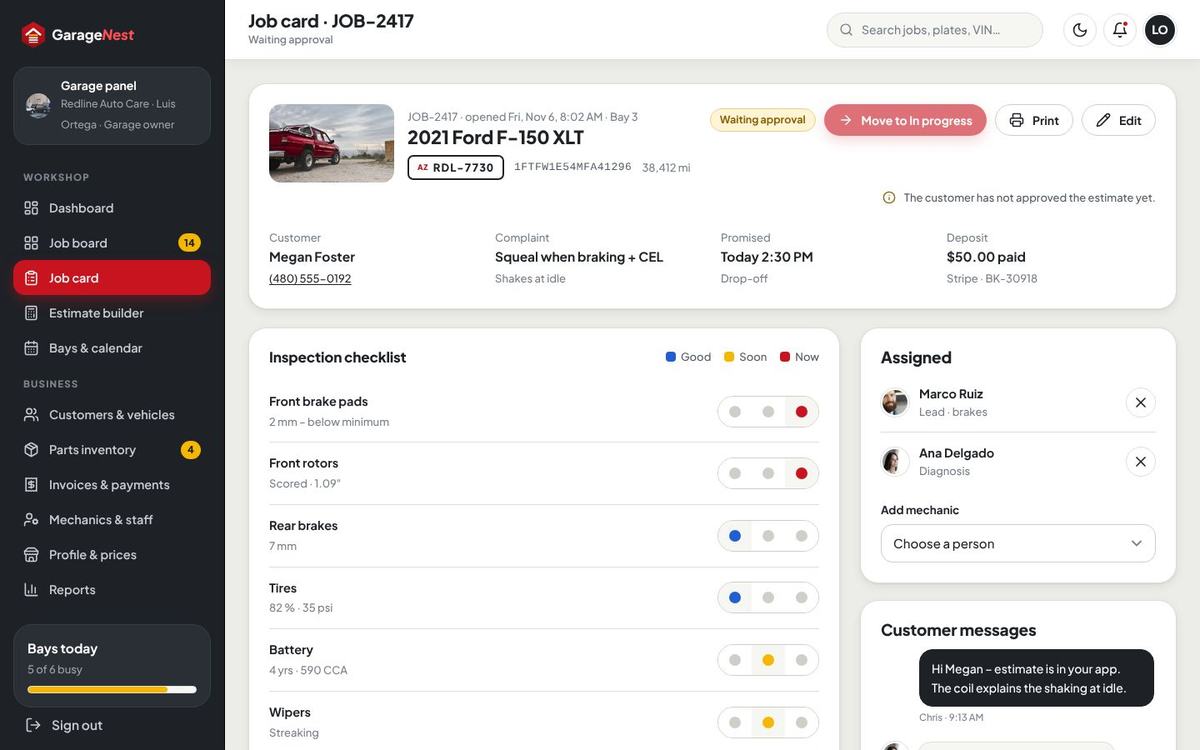

Digital inspection
The inspection checklist (one item per line with its area, editable in Booking & workshop › Inspection checklist) is marked good, soon or now per item, with a note and photos. You can require a photo on every “now” line. “Soon” items can become service reminders for the customer automatically.
Estimates & line approval
The estimate builder adds lines with parts (from stock or free text) and labor hours at the garage’s labor rate, marks lines as recommended or pre-approved and sets the urgency. Shop supplies (fixed or %) and sales tax on parts are added automatically. Send e-mails and texts the link; Remind sends it again.
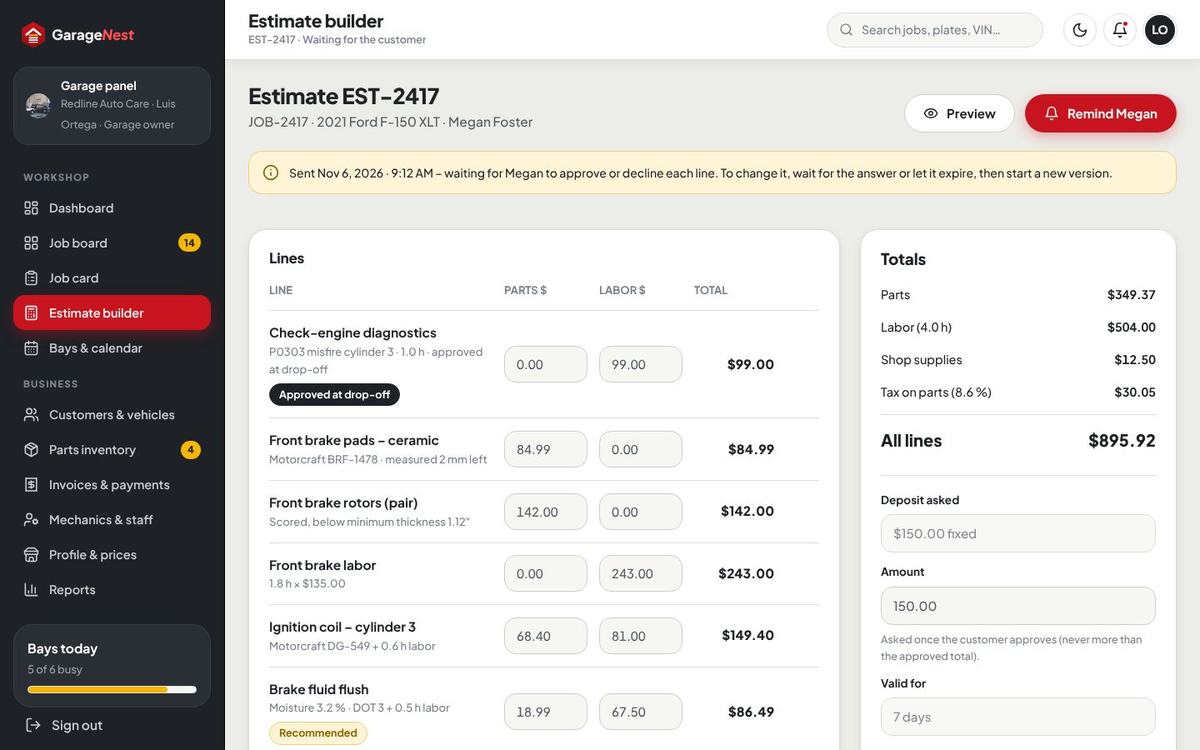
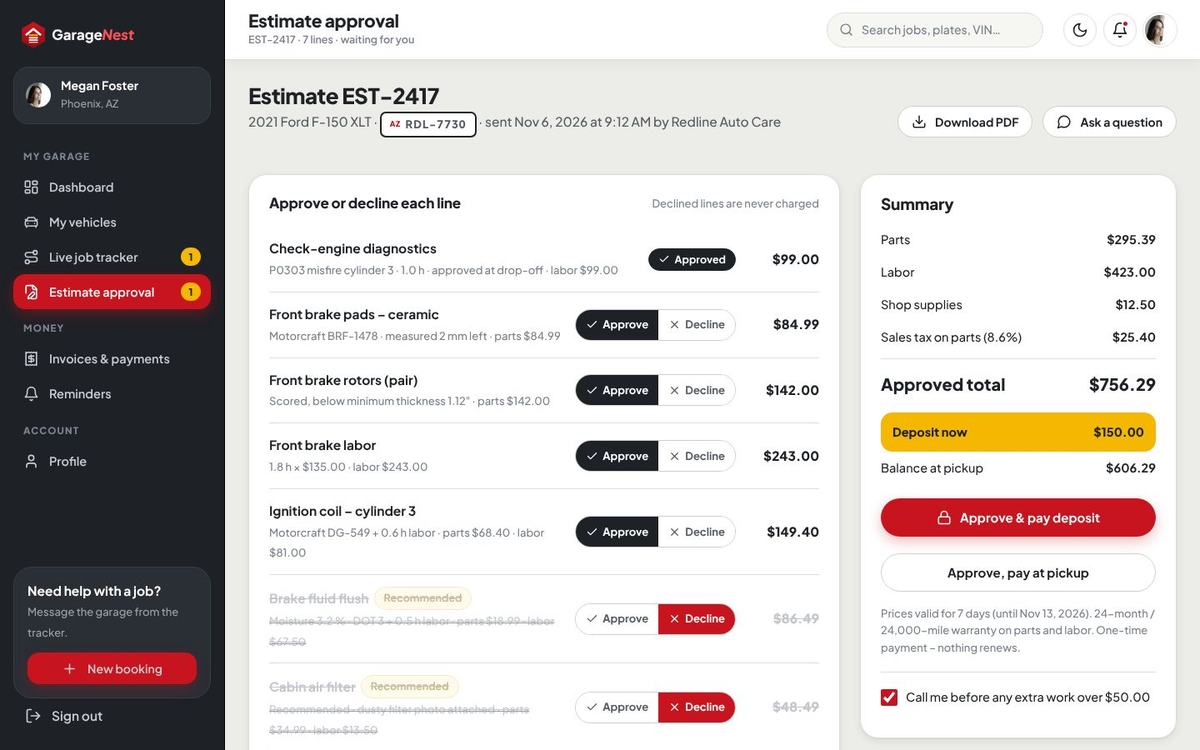
Only approved lines go to work and to the invoice. A new estimate version can be made after the customer answered (approved lines stay, declined ones drop). Estimates expire after the days you set; the estimate deposit is fixed (for example $150), a percentage or none, never more than the total.
Work, quality check & ready
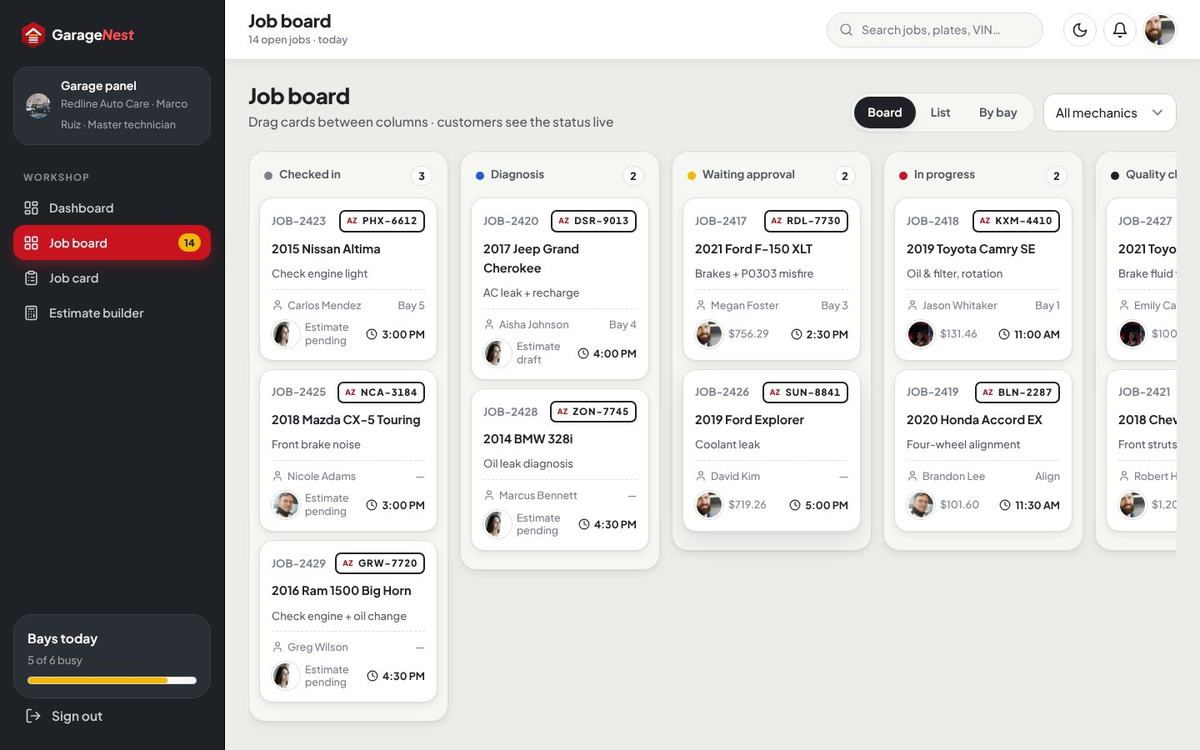
Move the card on the job board or change the stage on the job card. Technicians start and stop timers on their lines; the time log feeds efficiency and pay. At Ready the invoice is issued and the customer is told the car is ready with the amount due.
Invoices & payment
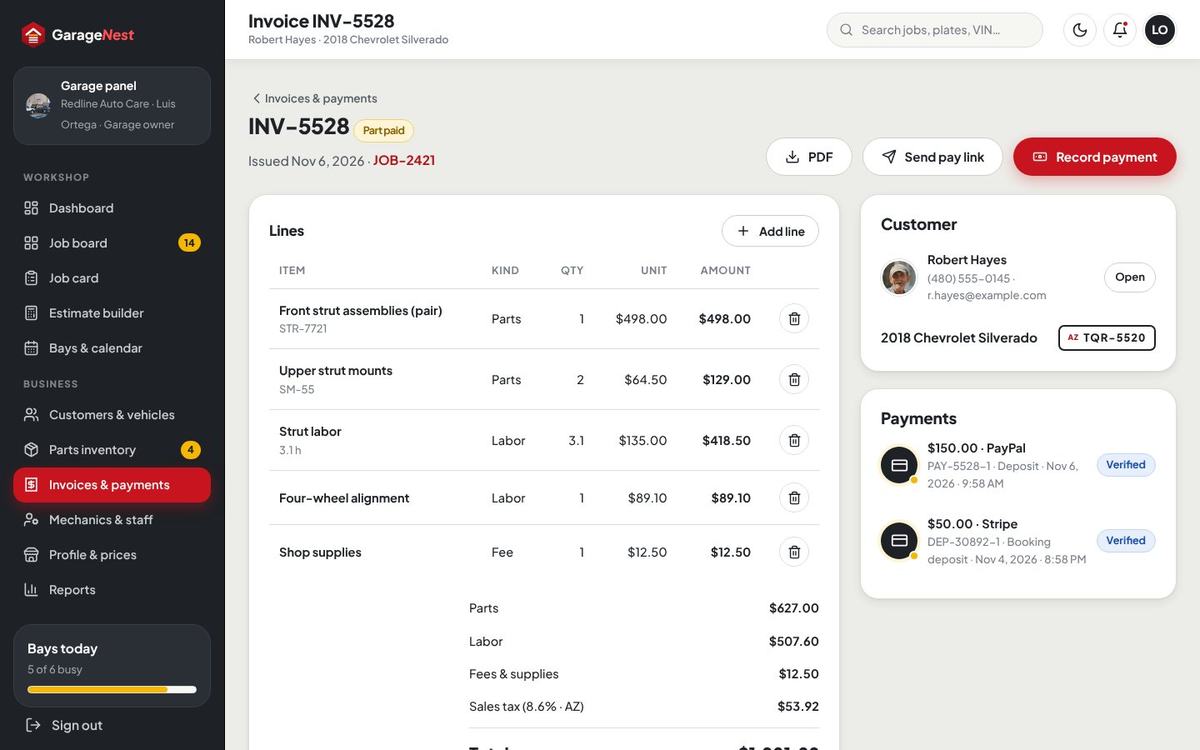
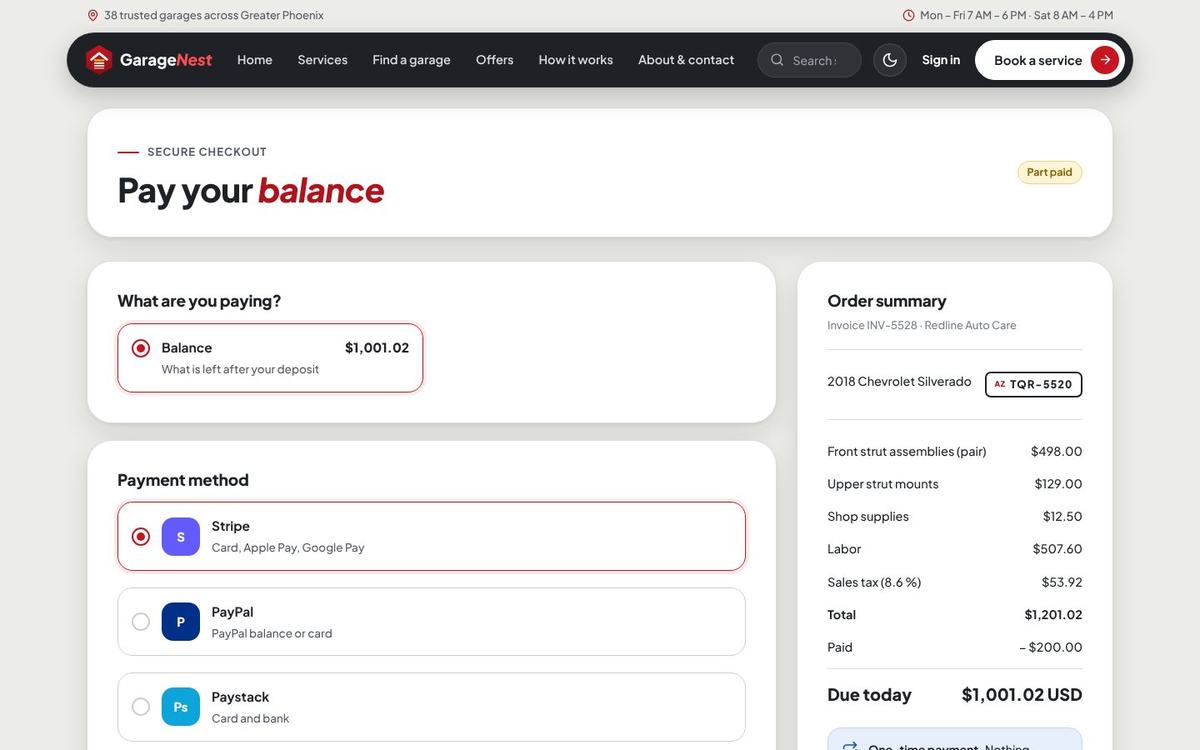
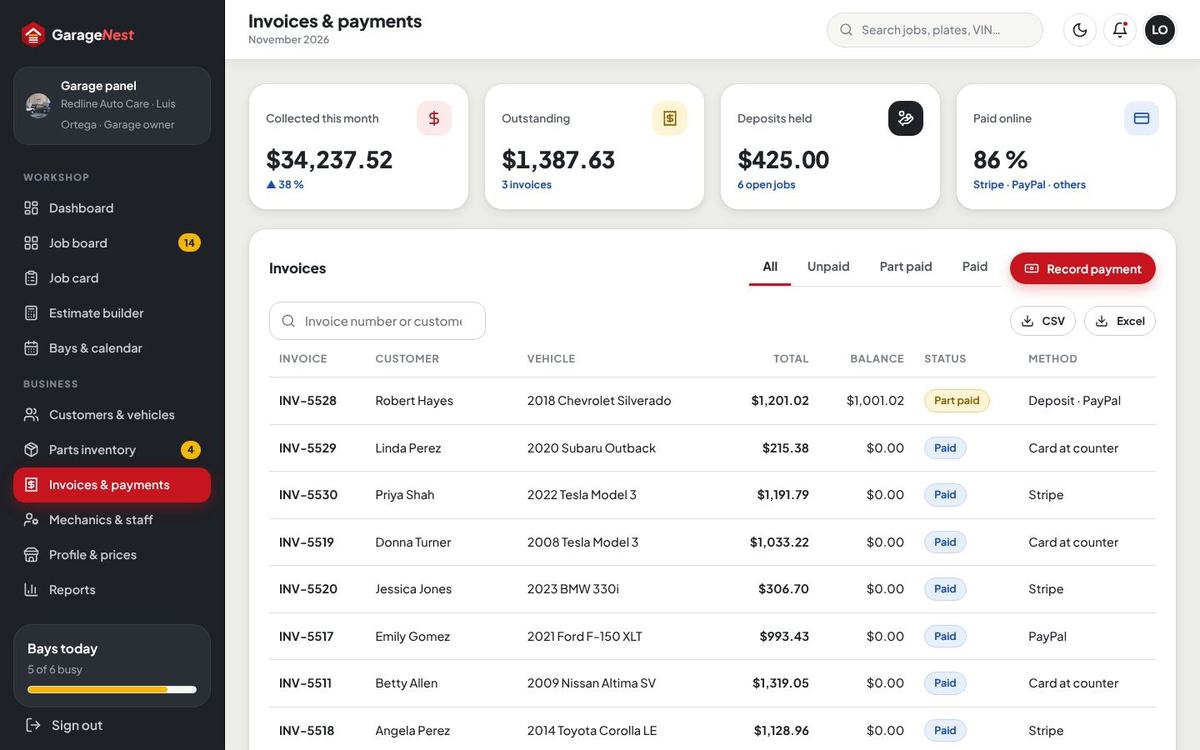
The invoice holds the approved lines, shop supplies, sales tax and the deposits already paid. The customer pays from the account or from the pay link (/i/…, works without signing in) with any switched-on gateway or bank transfer; at the counter staff record card terminal, cash or check. Paid invoices get a receipt and a PDF.
Panel dashboard
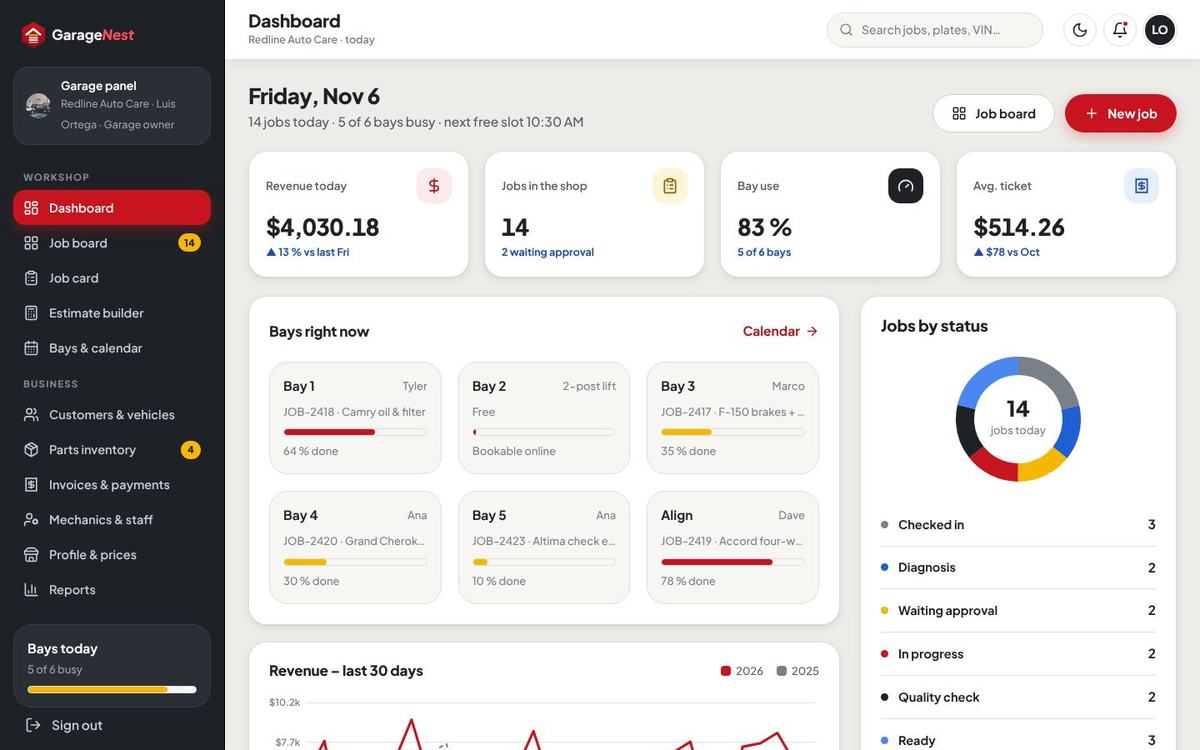
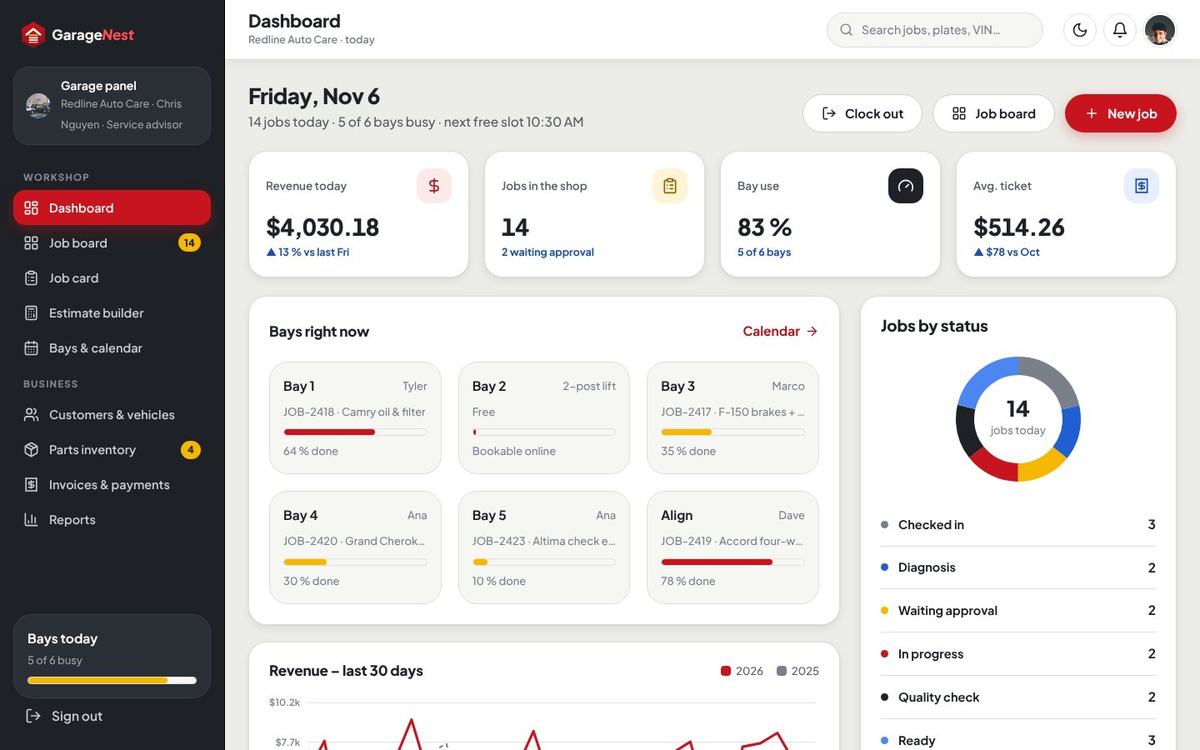
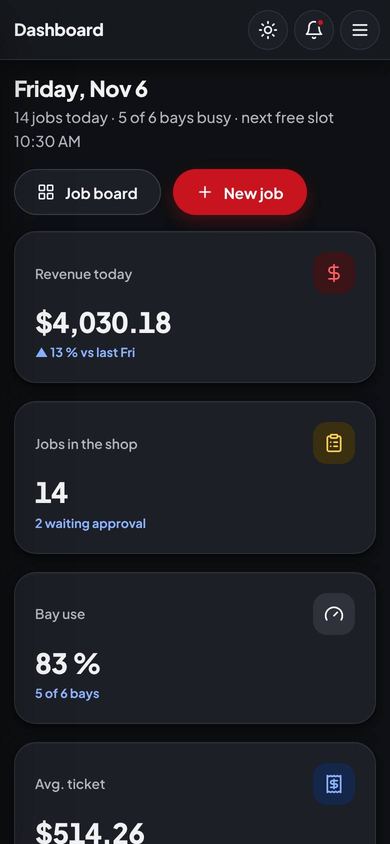
The garage panel (Marketplace) or Staff panel (Single garage) at /garage opens with today: revenue, jobs, bay use, average ticket, bays right now, jobs by status, estimates waiting for approval, parts running low and the revenue chart. Staff with clock in see Clock in / Clock out here.
Job board
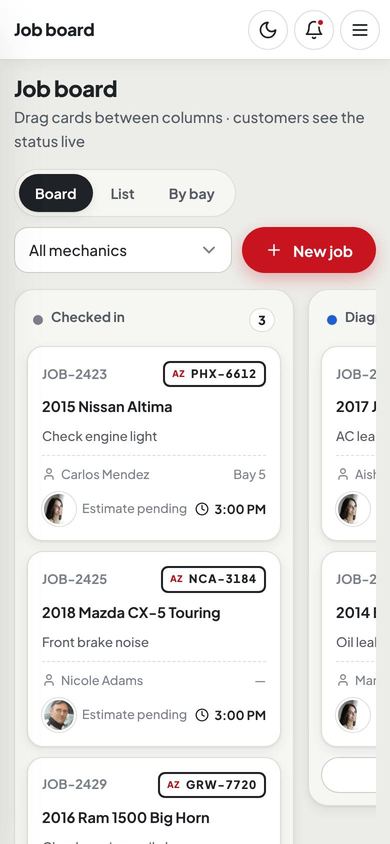
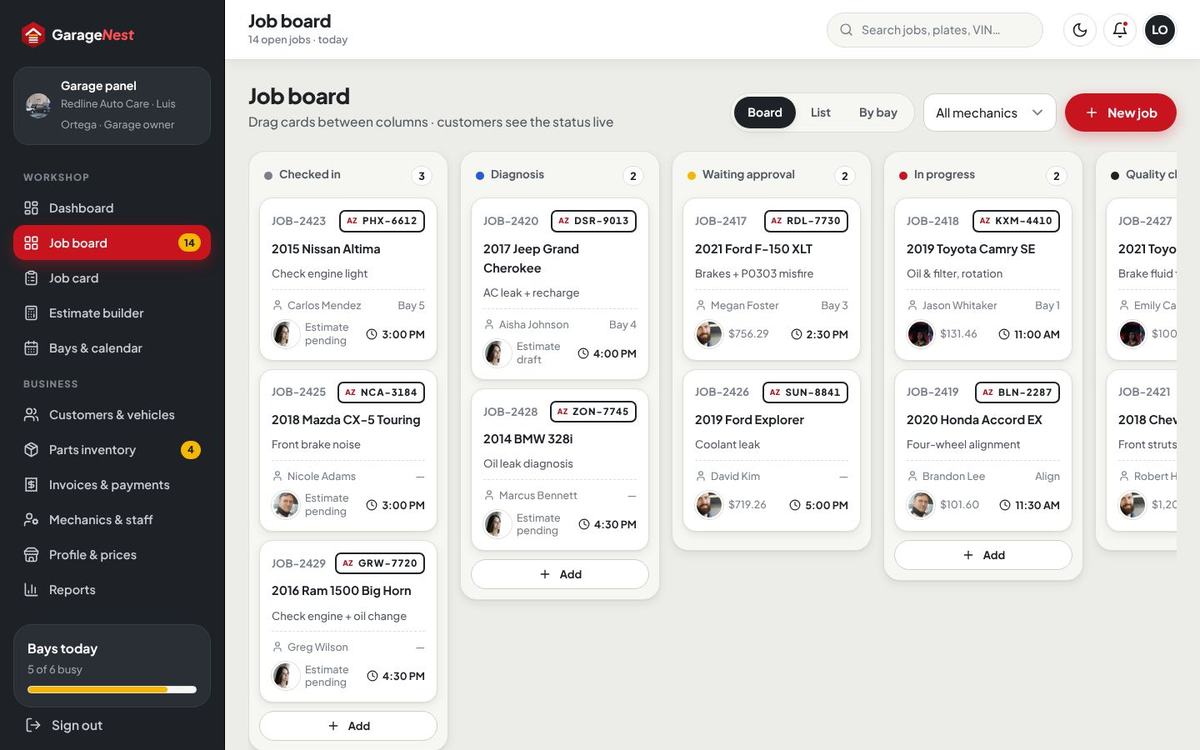
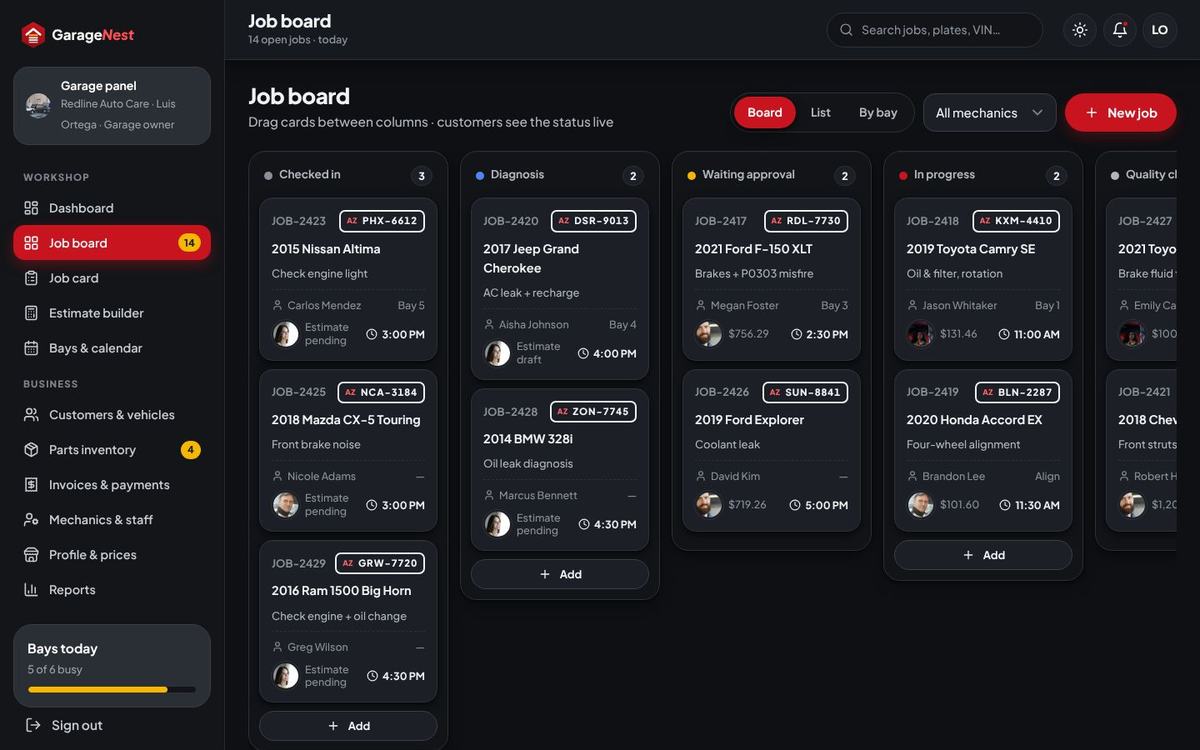
A kanban board by stage – Checked in, Diagnosis, Waiting approval, In progress, Quality check, Ready – with plate, vehicle, complaint, technician, bay, estimate total and promised time. Drag cards between columns (the customer’s tracker updates at once), switch to List or By bay, filter by mechanic. Technicians can be limited to their own jobs.
Bays & calendar
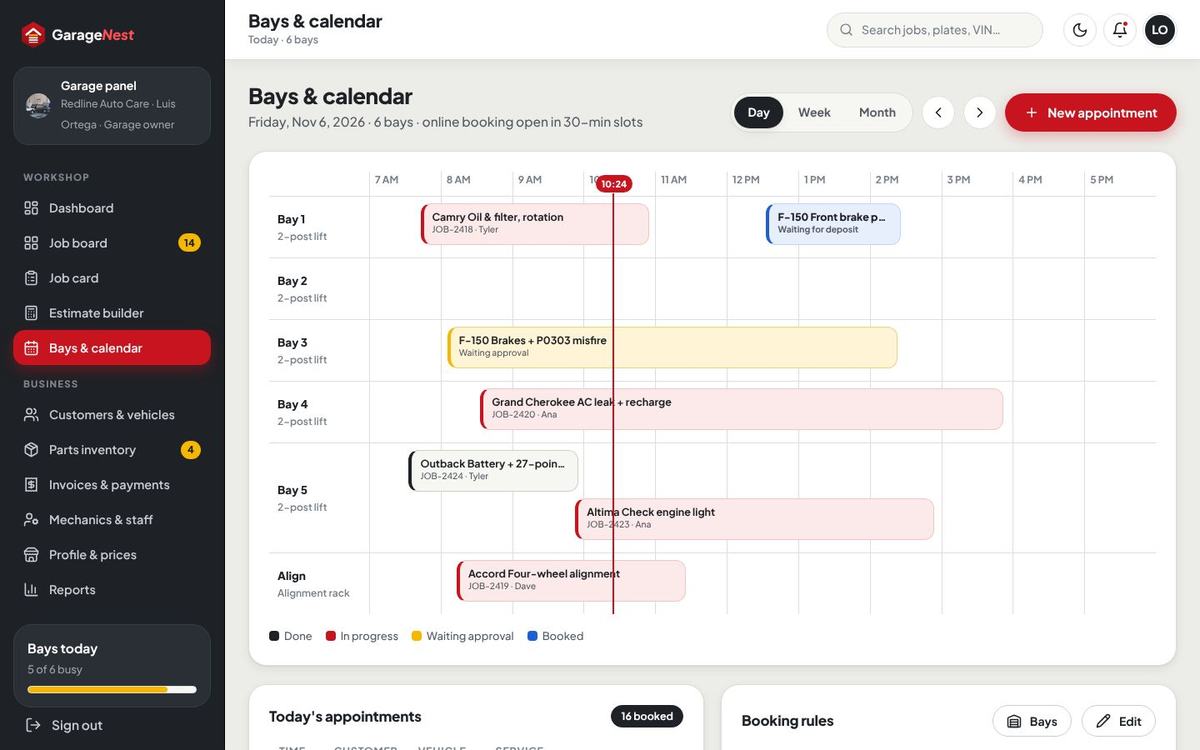
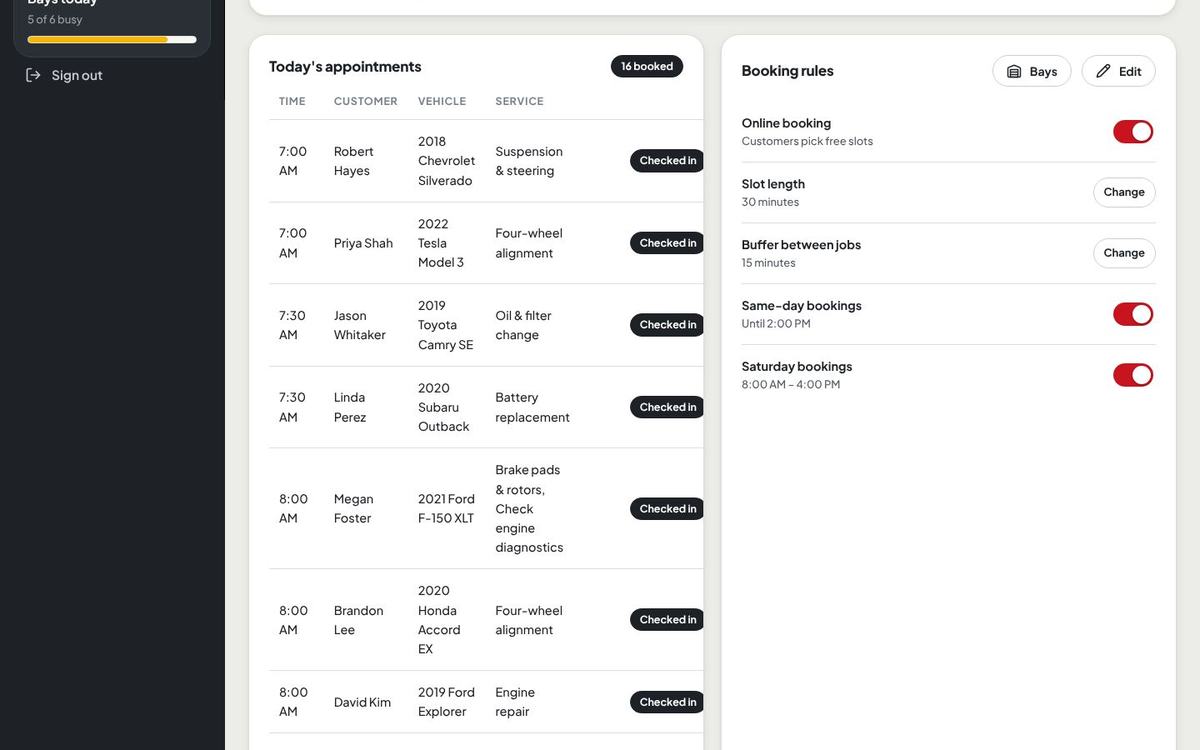
A bay × hour grid with a line at the current time, every appointment and planned job, plus today’s appointments with check-in. Day, week and month views. Bays lets you add bays (name, kind such as 2-post lift or alignment rack, which service categories it takes, online booking on or off). New appointment books a phone customer straight into a free slot.
Garage booking rules
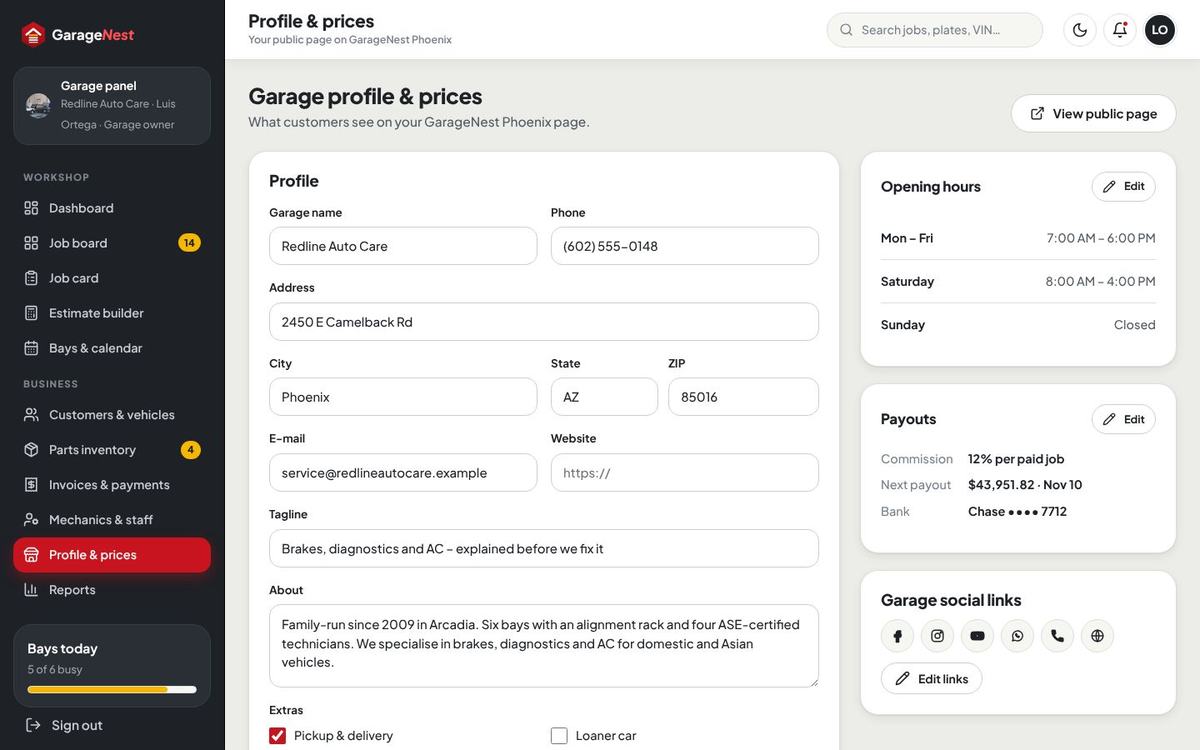
Each garage sets its own booking rules on the Bays & calendar page (card Booking rules): online booking on / off, slot length, buffer between jobs, same-day bookings until a time, and Saturday hours. A rule set by the garage overrides the global setting in Admin › General & languages › Booking & workshop; a rule left empty uses the global value. Opening hours per weekday are set in Profile & prices (in Single garage mode the page is called Hours & prices, at /garage/profile).
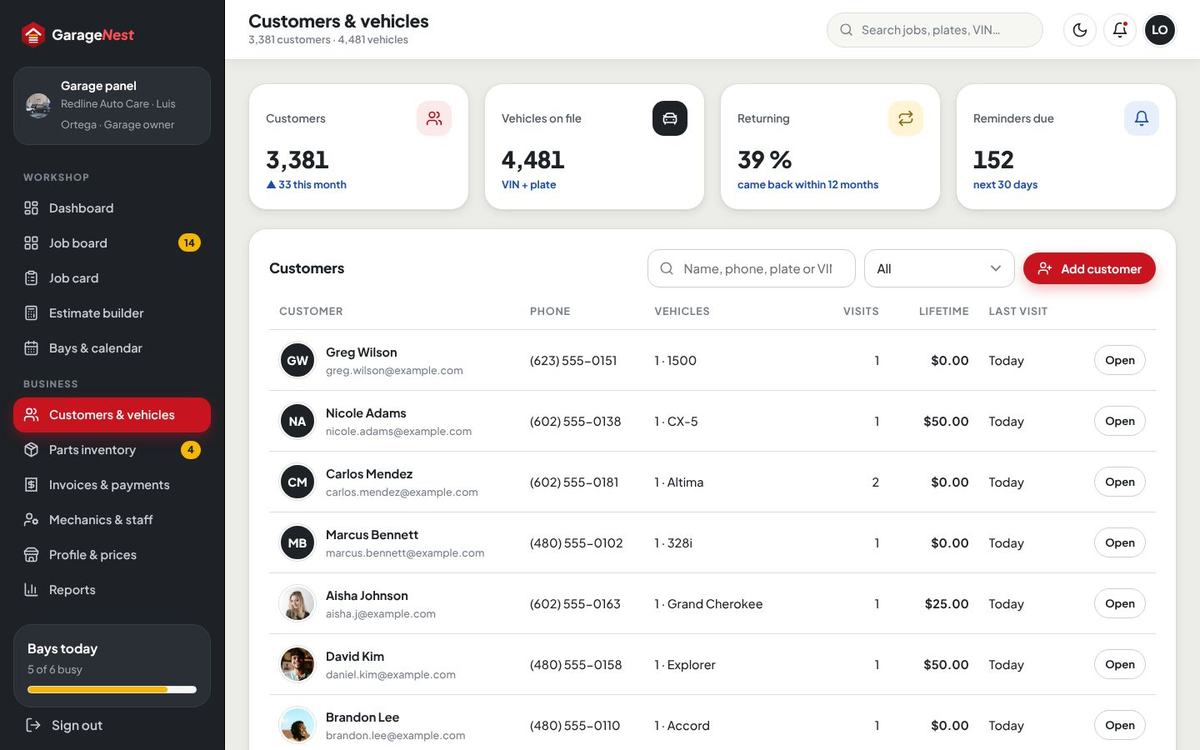
Customers & vehicles
Every customer of the garage with vehicles, visits, lifetime spend and last visit; search by name, phone, plate or VIN; open a customer for vehicles, jobs, invoices, notes and reminders; export to CSV.
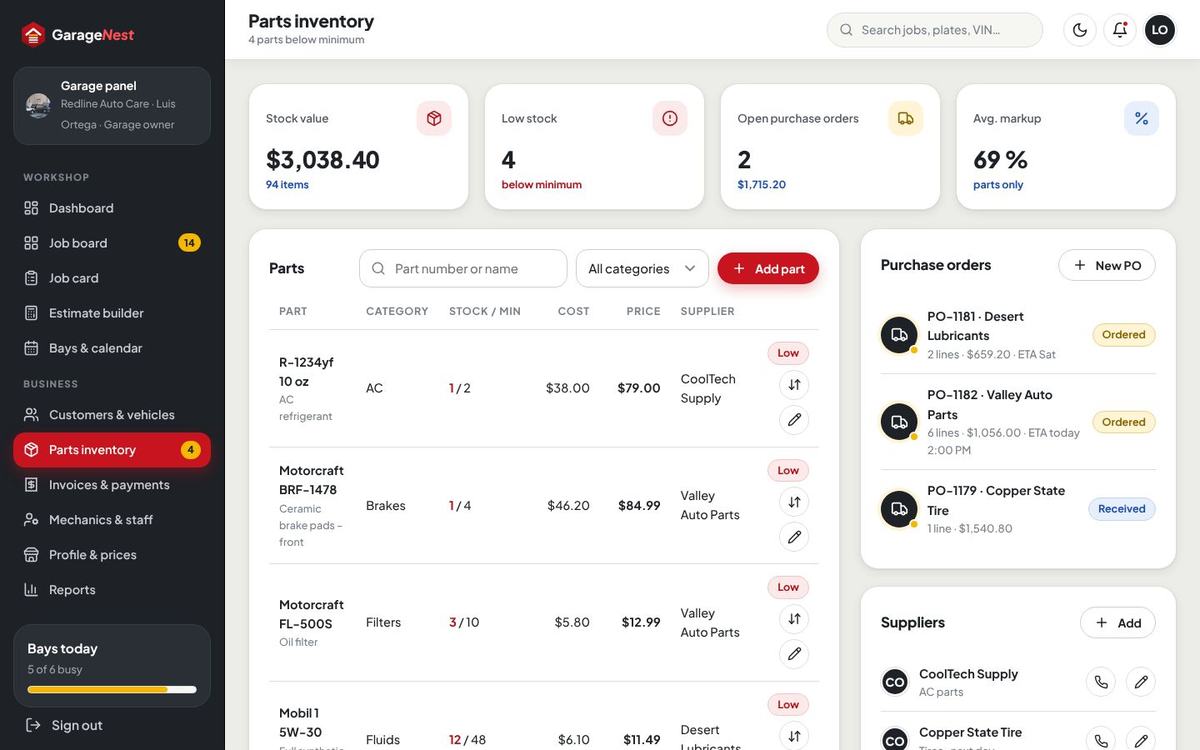
Parts, suppliers & purchase orders
Parts with part number, category, cost, price, stock and minimum; low stock is flagged on the dashboard. Suppliers with contacts. Purchase orders (PO-…) are created, sent and received – receiving adds the stock. Parts used on a closed job are taken from stock automatically; every change is kept as a stock move.
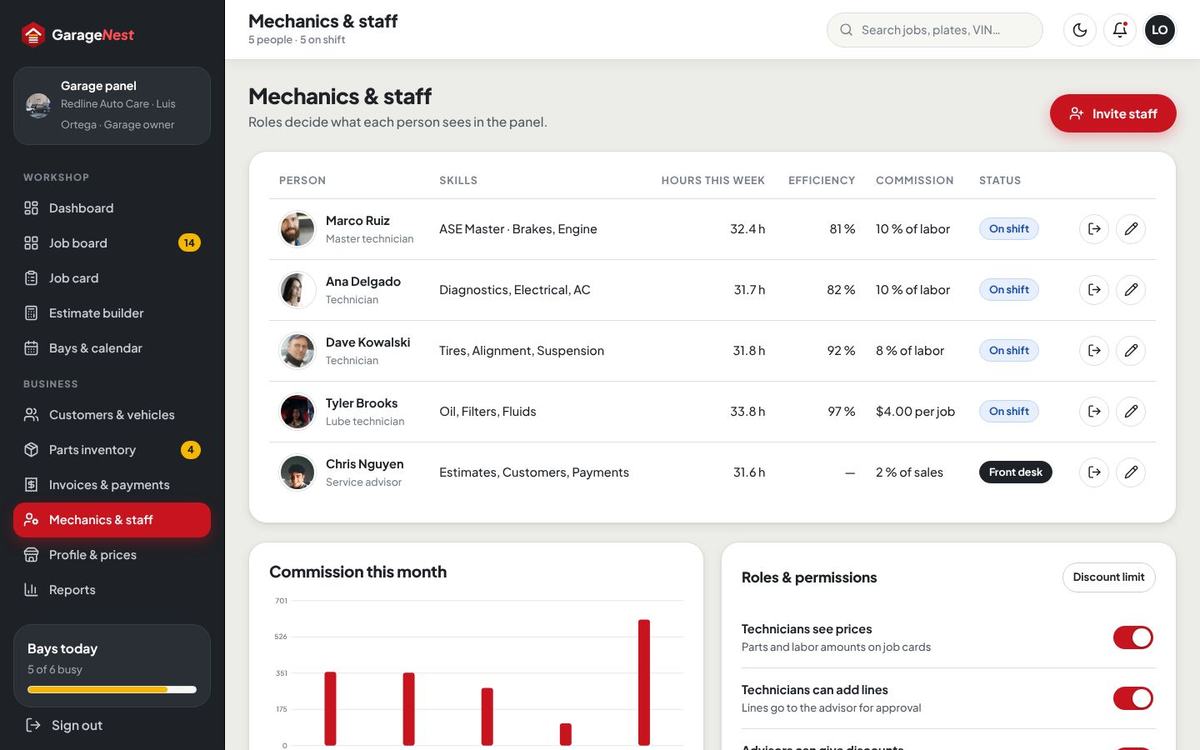
Mechanics, staff & clock in
Add staff with role (manager, service advisor, technician), title, skills, a login if they need one, and a pay model (percent of labor, percent of sales, per job or hourly). The page shows hours this week, efficiency (labor hours sold against hours clocked) and earnings. Roles & permissions decides whether technicians see prices, may add lines, and whether clock in is used; advisors get a discount limit.

Profile, prices & social links
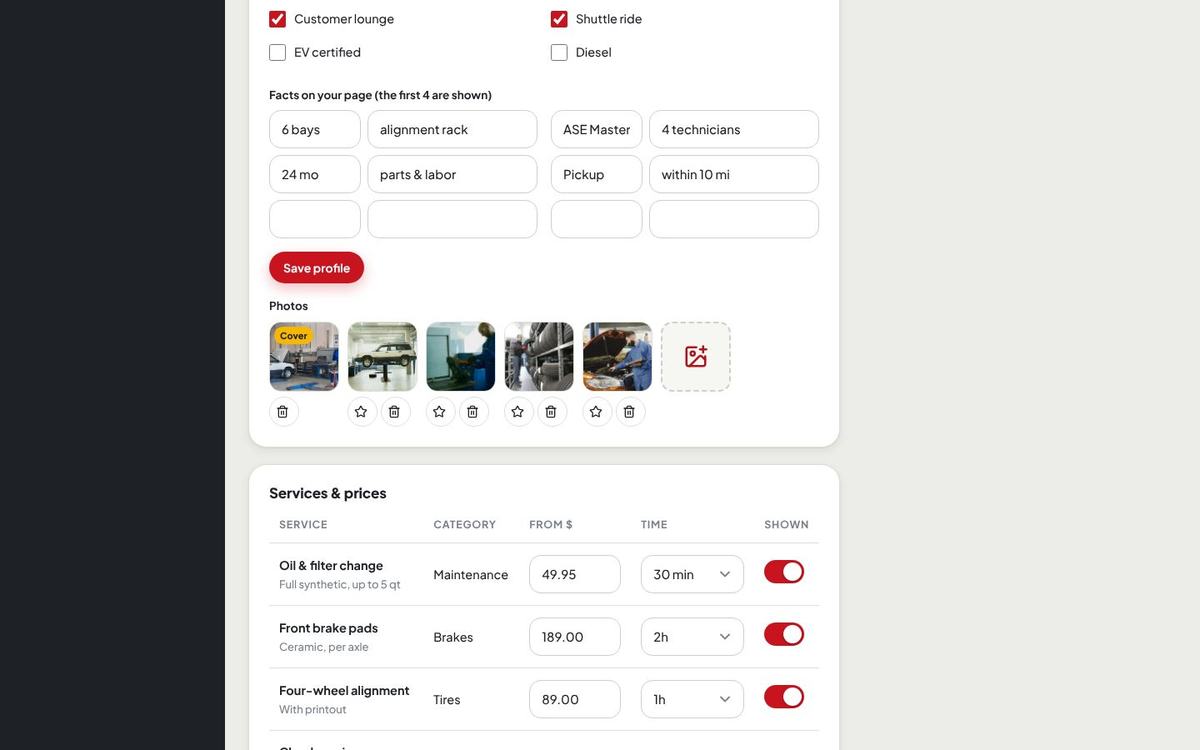
Marketplace: the garage owner edits the public profile (name, address, phone, about, photos, features such as lounge or pickup), opening hours, the services it offers with its own price, time and deposit, labor rate, pickup fee and radius, payout details and the garage’s own social links (the same picker as the site: built-in networks plus your own with an icon).
Reports
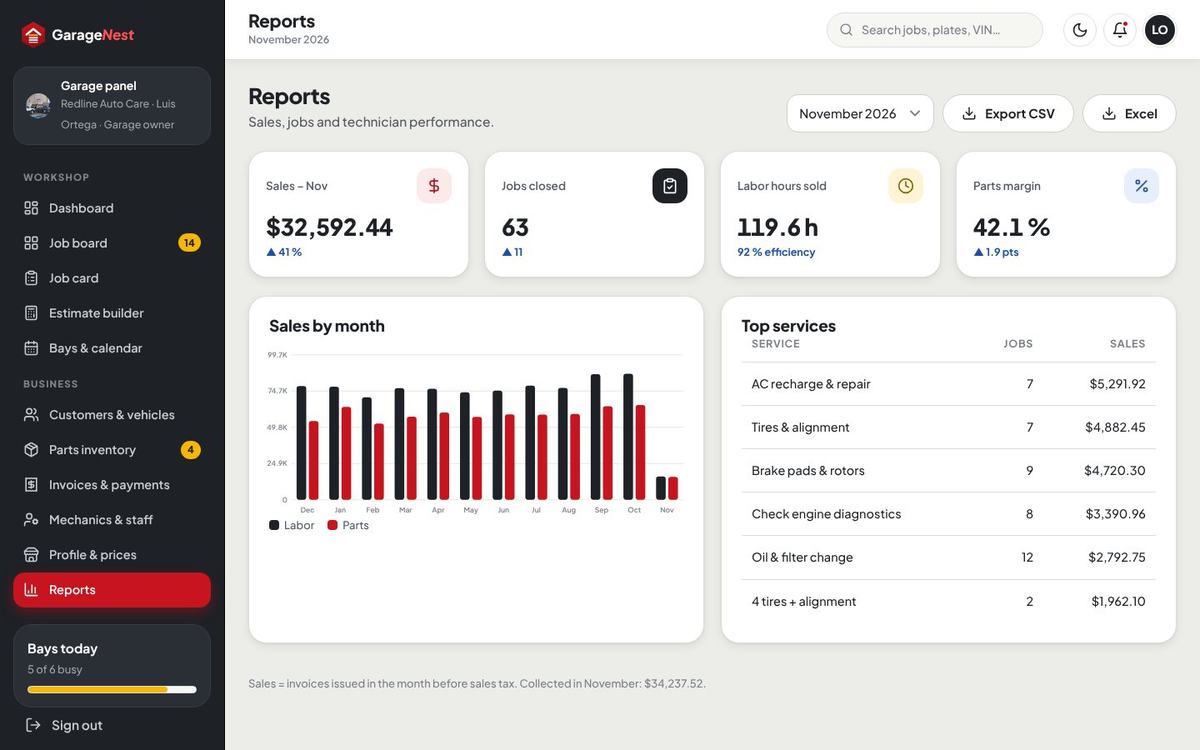
Sales, jobs closed, labor hours sold, parts margin, sales by month and top services, with CSV and Excel export. In Single garage mode Reports takes the place of Profile & prices in the menu.
Deposits & one-time payments
Every payment in GarageNest is a single payment for a booking, an estimate or an invoice. There are no subscriptions and nothing renews.
| Payment | When | Setting |
|---|---|---|
| Booking deposit | At checkout | Per service in the catalog (for example $50; 0 = none); a garage can set its own per service. “Pay at the garage” can be allowed for bookings. |
| Estimate deposit | After the customer approves the estimate | Fixed amount (default $150), percentage or none – Payment gateways › Deposits. |
| Invoice balance | When the car is ready | Total minus all deposits; online, by bank transfer or at the counter. |
Payment gateways & webhook URLs
Admin › Payment gateways: switch each gateway on, choose sandbox or live, paste the keys (secrets are stored encrypted and shown masked) and the currency. Each card shows its webhook URL to copy.

| Gateway | Keys | Webhook URL | Events |
|---|---|---|---|
| Stripe (cards, Apple Pay, Google Pay) | Publishable key, secret key, webhook signing secret | https://your-domain/webhooks/stripe | payment_intent.succeeded |
| PayPal | Client ID, secret | none needed – every payment is captured and checked on the server when the customer returns | – |
| Paystack (Nigeria, Ghana, Kenya, South Africa) | Public key, secret key | https://your-domain/webhooks/paystack | charge.success |
| Razorpay (India) | Key ID, key secret, webhook secret | https://your-domain/webhooks/razorpay | payment.captured, order.paid |
| Bank transfer | Bank name, account name, account number, routing, note | – | Receipt upload + approval |
Bank transfer & pay at the garage
Bank transfer: the customer sees your bank details and the reference, uploads the receipt (can be required) and the payment waits for approval – by the site team in Payments & payouts in the Marketplace, and by the garage’s staff in Invoices & payments in Single garage mode. Approve or reject with a note; the booking or invoice is updated at once.
At the counter staff press Record payment on an invoice and pick card terminal, cash or check (a check needs its number). Which counter methods exist is set in Payment gateways.
Sales tax on parts
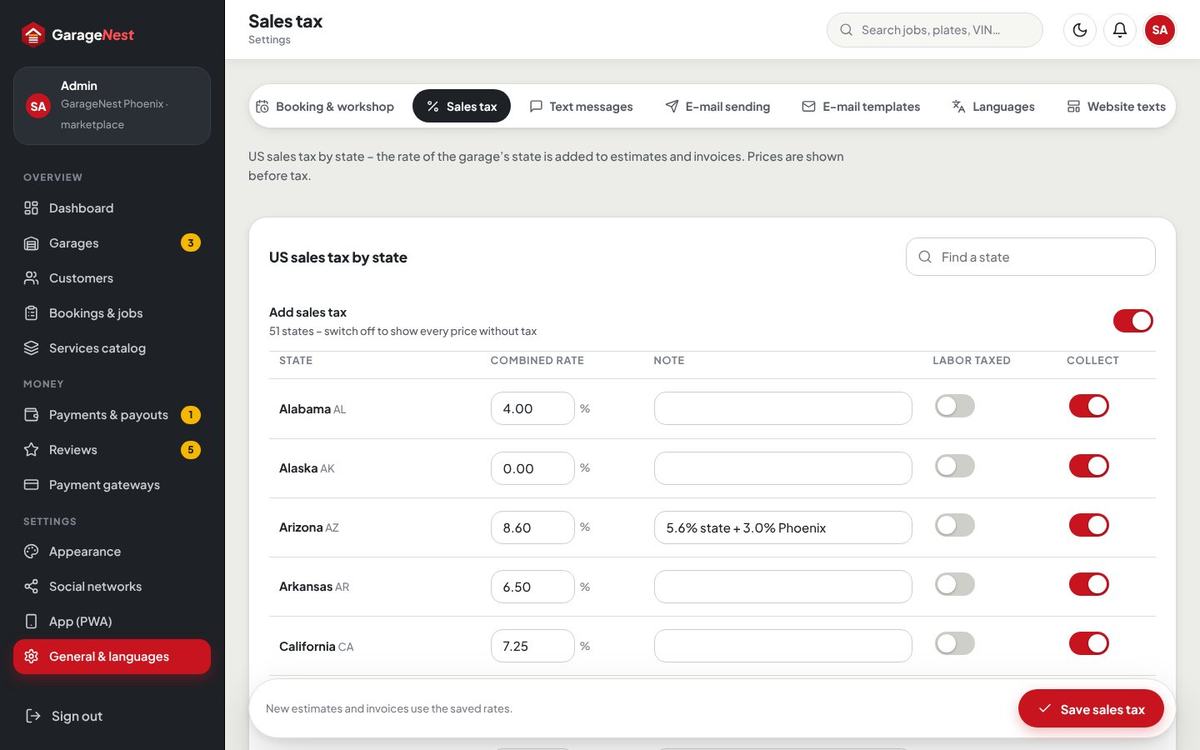
General & languages › Sales tax holds a combined rate for every US state (and DC) plus a note, a switch for labor taxed per state and whether tax is collected. The garage’s state decides the rate. By default tax is charged on parts (and on shop supplies when you choose), not on labor – the Phoenix demo uses 8.6 % on parts. Invoices and estimates show parts, labor, supplies and tax apart.
Commission & payouts (Marketplace)
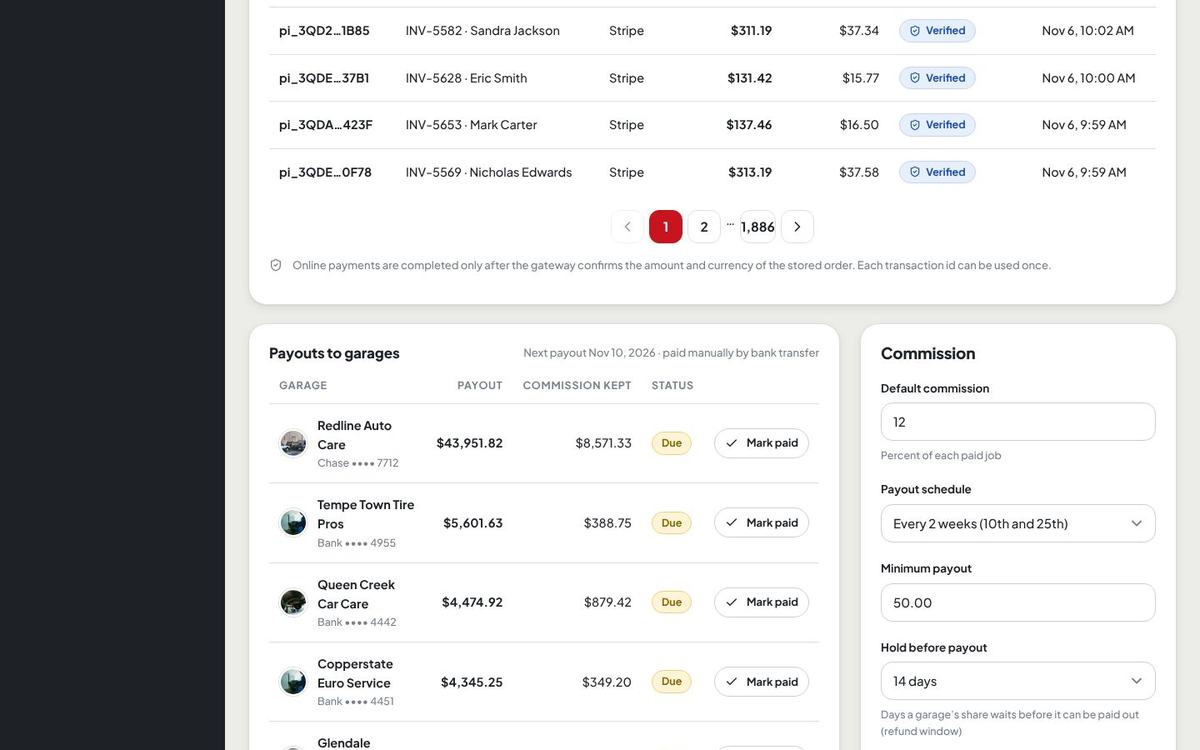
- Commission – default 12 % of every paid job (General & languages › Marketplace and the installer), a rate per service category, and an override per garage (Admin › Garages › garage). Optionally also on payments taken at the counter (the garage then owes the commission, shown as a negative line).
- Garage ledger – each payment, commission, refund and payout is a line; the balance is what you owe the garage.
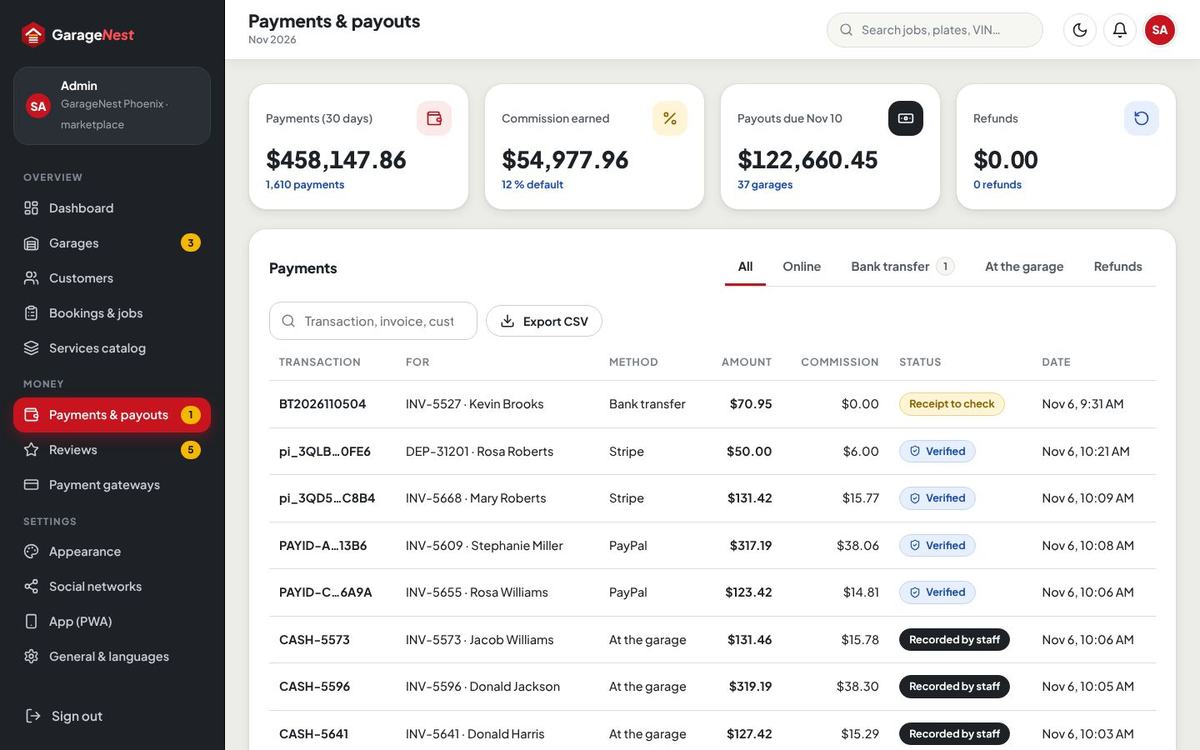
- Payouts – every two weeks by default, with a minimum and a hold time. In Payments & payouts you see what is due, pay the garage by bank transfer outside the script, and record the payout with its reference (PY-…). Payouts are manual on purpose: you stay in control.
How payments are protected
- The amount and currency are always taken from the stored booking, estimate or invoice on the server – never from the browser.
- Gateway confirmations are checked on the server: Stripe, Paystack and Razorpay webhooks need a valid signature over the raw request; anything unsigned or unmatched is refused. PayPal and Paystack payments are also confirmed with the gateway’s own API.
- Each gateway transaction id can complete only one payment, and completion runs once under a database lock, so a repeated webhook never pays twice.
- Bank transfer references and receipts are unique; only the site team (or the garage in Single garage mode) can approve.
- There is no “test payment” shortcut, also not in demo mode.
Admin dashboard
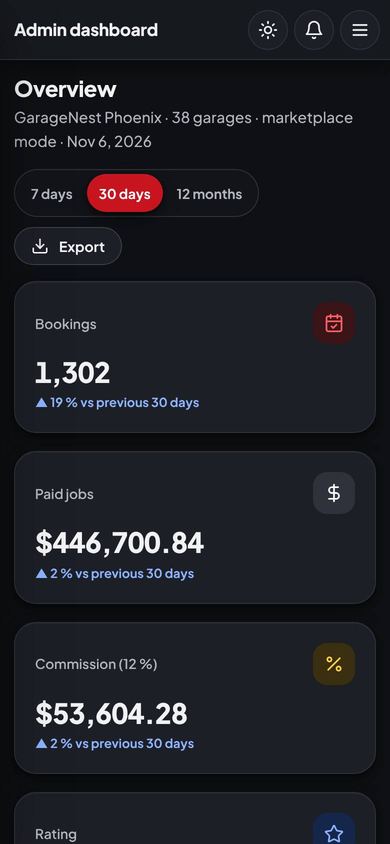
Bookings, money paid, commission and rating for 7 days, 30 days or 12 months, the paid job value chart, items that need attention (applications, flagged reviews, payouts due, bank transfers), top garages and jobs by status, with export.


Garages & applications
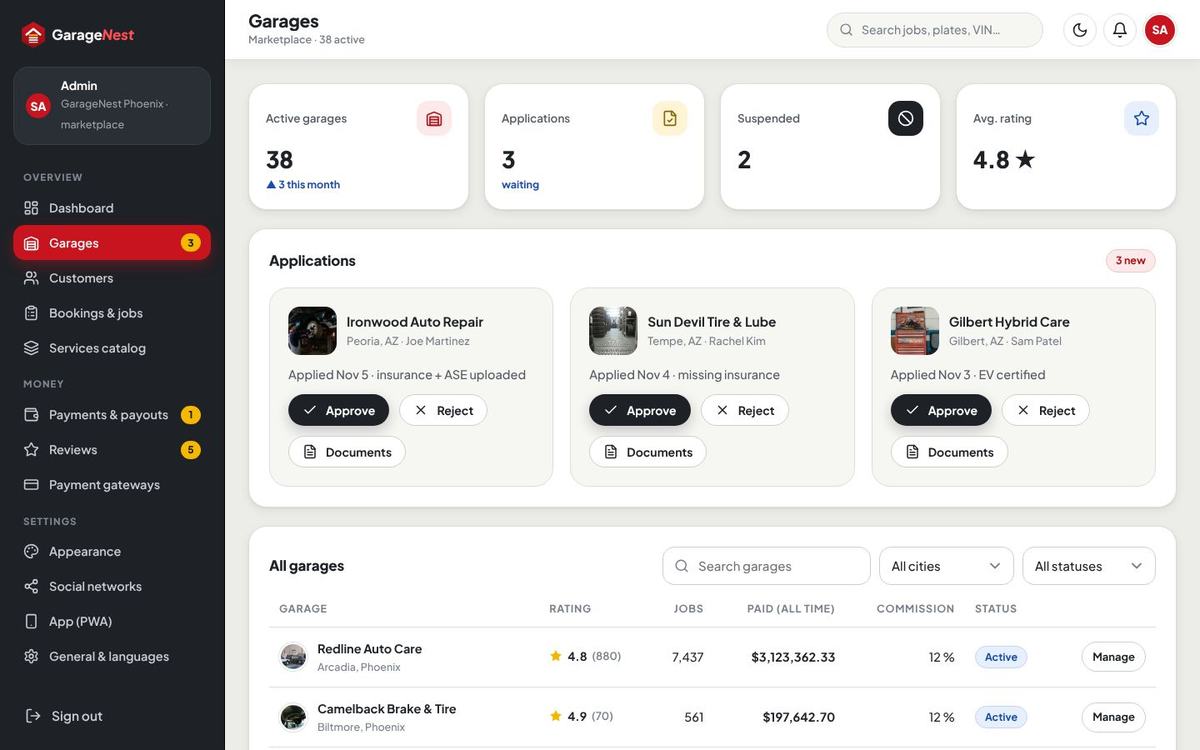
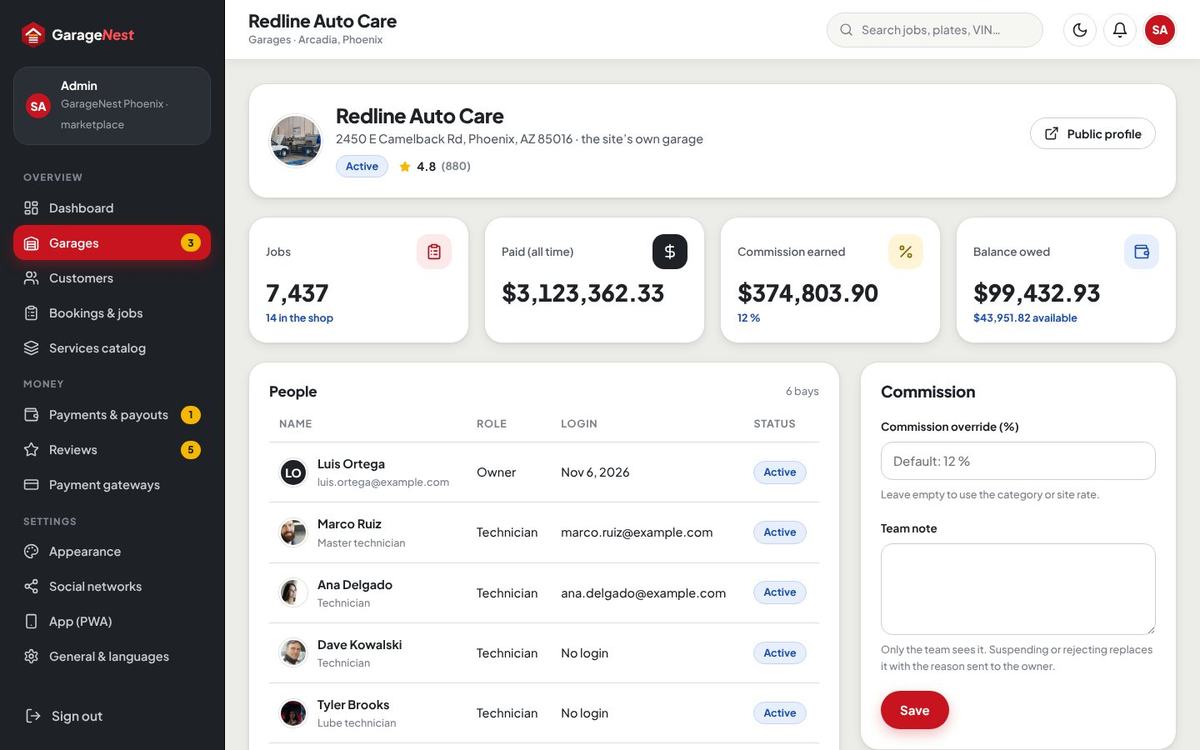
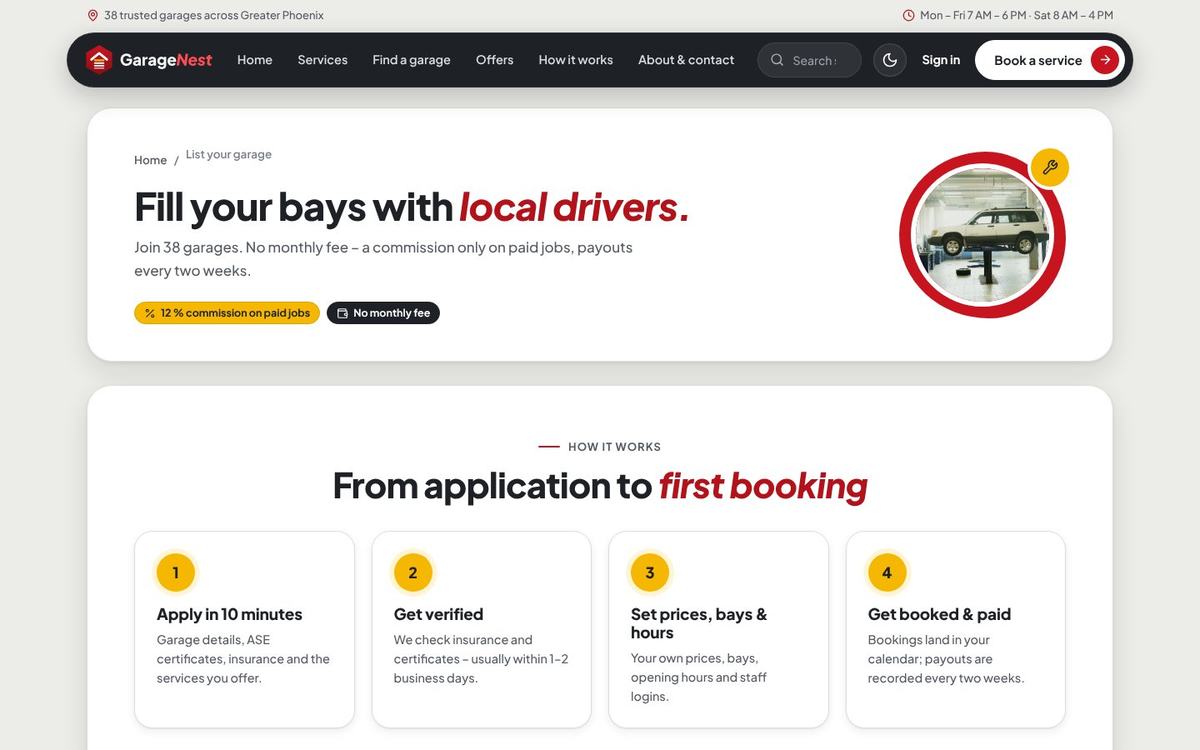
Marketplace only. Applications from “List your garage” arrive with their documents (for example insurance and ASE certificates – the list of documents is a setting). Approve creates the garage and its owner login, Reject sends the reason. Approved garages can be suspended (hidden, no bookings) and opened for details: people, jobs, paid money, commission override, balance and notes.
Services catalog & packages
Categories (icon, order), services (name, summary, what is included, signs, price from, time, warranty, deposit, labor hours, photo, featured, price on estimate) and one-time packages. Garages pick from this catalog and set their own price, time and deposit.

Customers, jobs & reviews
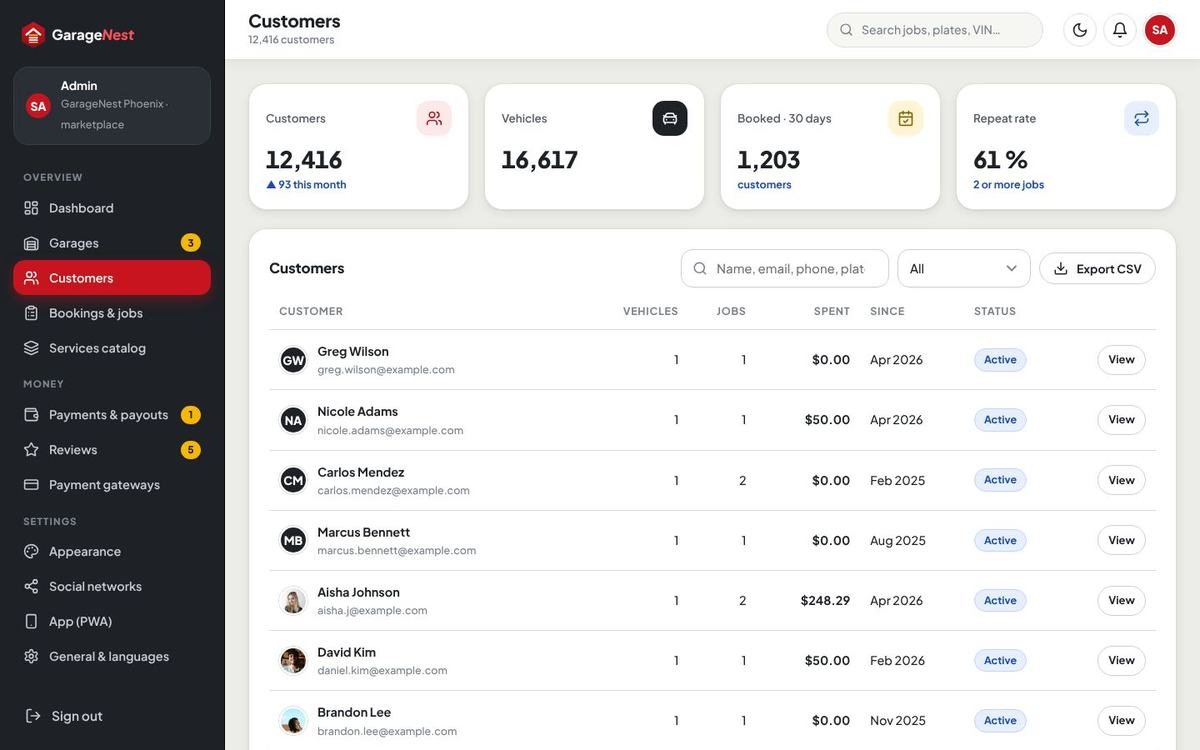
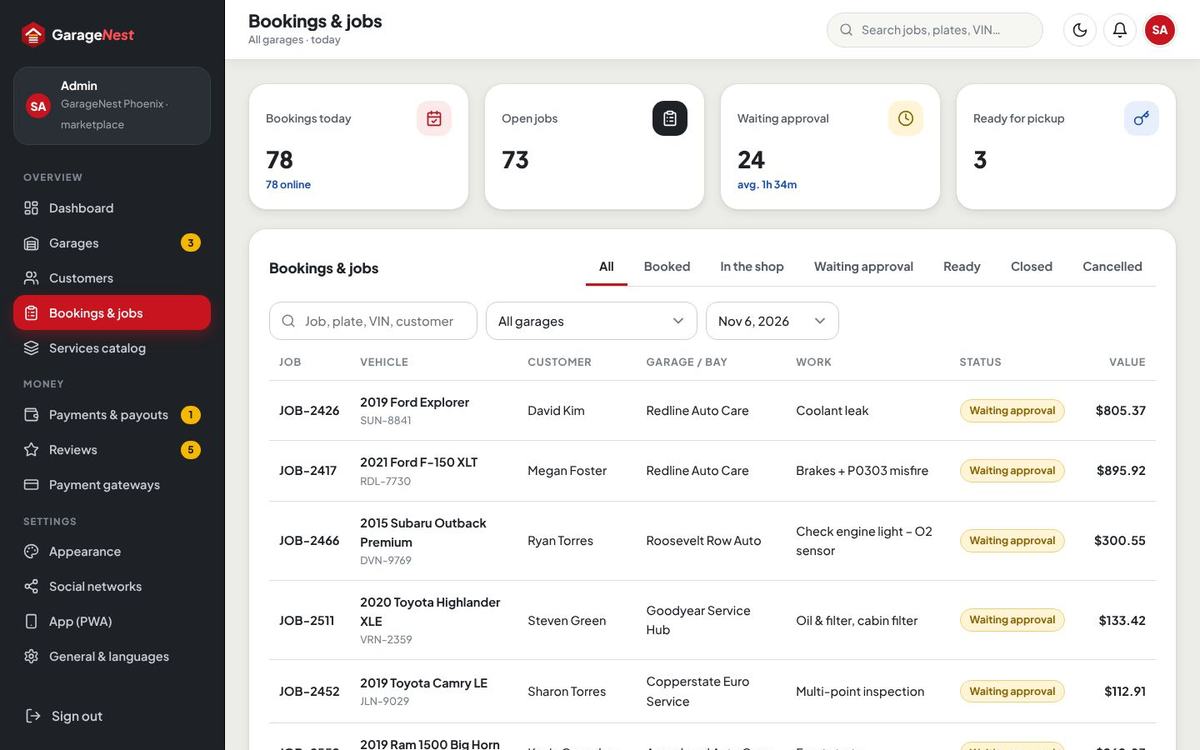
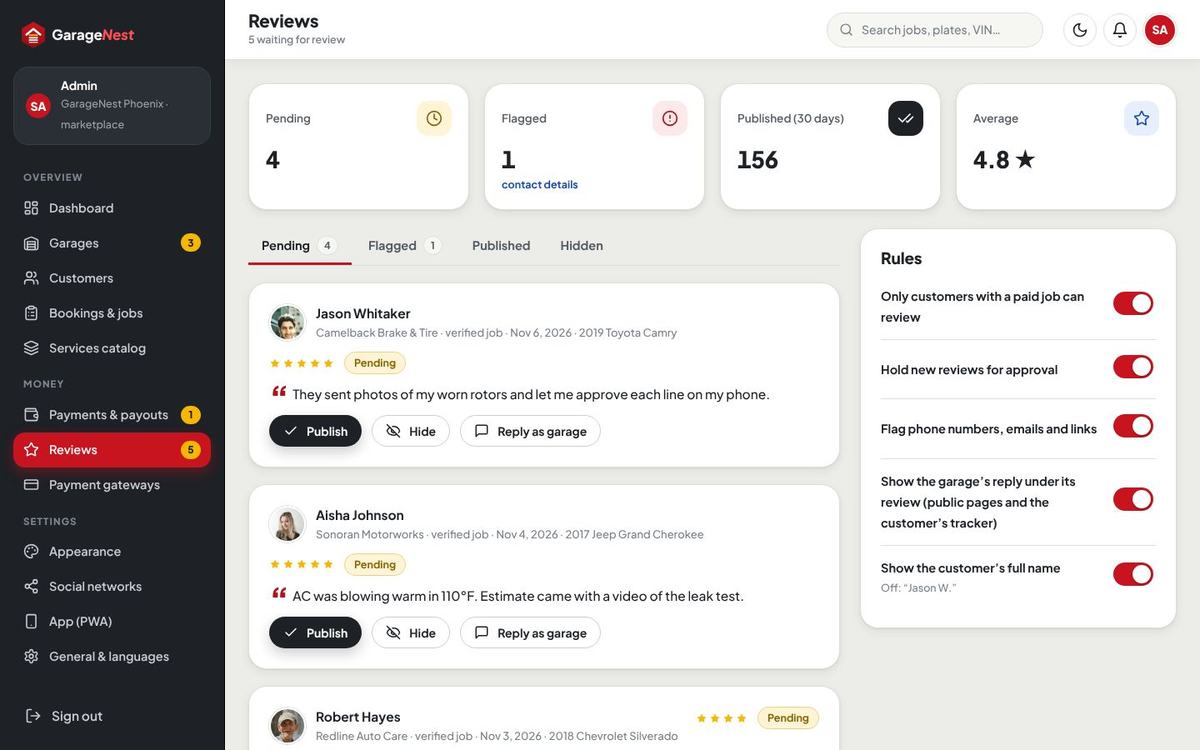
Customers: every customer with vehicles, bookings and spend; open one for details, messages and activity; CSV export. Bookings & jobs: every booking and job of every garage with filters. Reviews: only customers with a paid job can review (setting); reviews can wait for approval, be published, hidden or flagged, and garages can reply. Ratings are always counted from the published reviews.
Every settings area
| Where | What you set |
|---|---|
| Payment gateways | Stripe, PayPal, Paystack, Razorpay, bank transfer, pay at the garage (counter methods), currency, booking and estimate deposits. |
| Appearance | Colour presets, custom colours, default theme, theme switch, logos, favicon, font. |
| Social networks | The site’s social links with icons. |
| App (PWA) | App name, short name, start page, colours, icons, install prompts, offline page. |
| General & languages | Site name, tagline, country, time zone, date format, distance, labor rate, site mode, notifications per event (bell / e-mail / text), mail driver, SMS provider, booking rules. |
| Business & accounts | Word mark, business name for invoices, contact details, address, time format, opening hours line, team alerts, sign-up rules, https, password length, SEO title, description, share image, sitemap. |
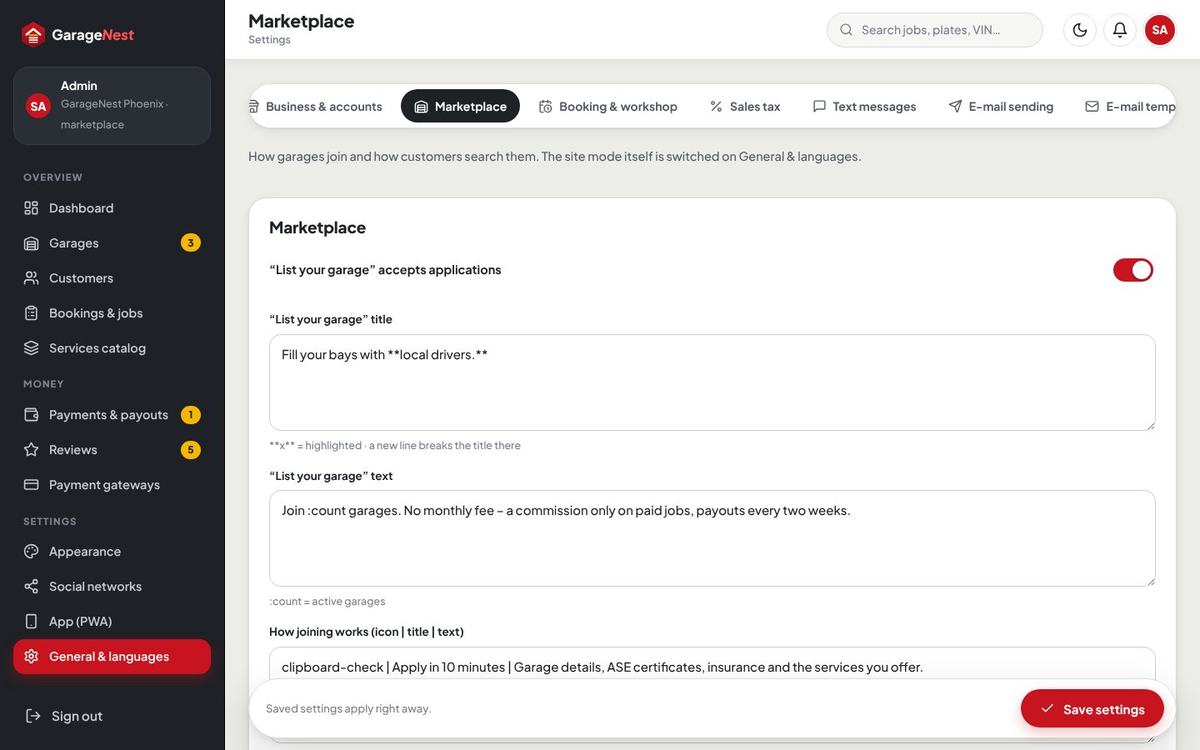
| Marketplace | “List your garage” on / off, its title, text, steps and the documents asked; garage search radius and page size; commission and payouts. |
| Booking & workshop | Online booking, vehicle makes, slot length, buffer, earliest booking, same-day until, days shown, release of unpaid deposits, photos per booking and size, pickup fee, cancellation text; shop supplies; estimate validity; “call me first” amount; inspection checklist; parts categories; numbering (BK / JOB / EST / INV / PO); reminders; maps. |
| Sales tax | Rate per state, labor taxed or not. |
| Text messages | Twilio or Vonage keys and a test text. |
| E-mail sending / E-mail templates | SMTP account, test e-mail; every e-mail and bell text with placeholders. |
| Languages | Languages, translation editor, auto-translate service. |
| Website texts / FAQ / Pages | Every text and photo of the website; questions and answers; terms, privacy and your own pages. |
| Team & permissions | Admin team members and the sections each may open. |
| Maintenance / Activity log | Maintenance page, backups, update, cron line, panel addresses, demo ribbon; who changed what. |
Appearance, presets & dark mode
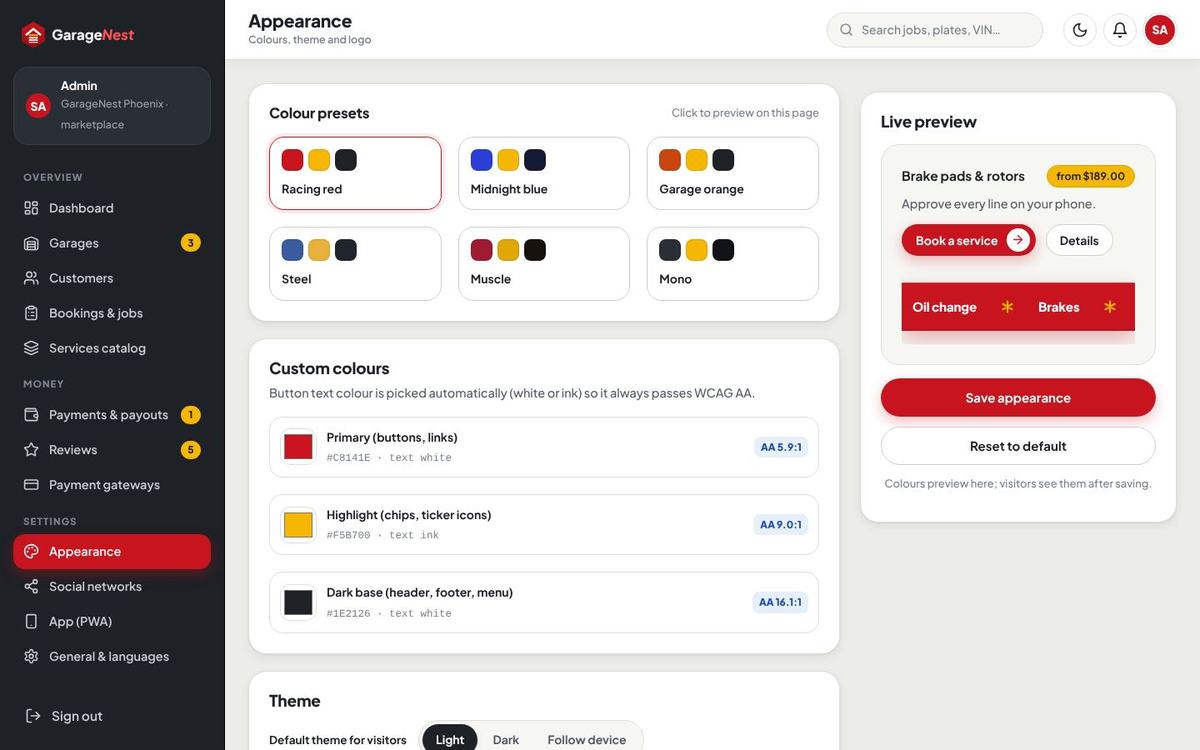
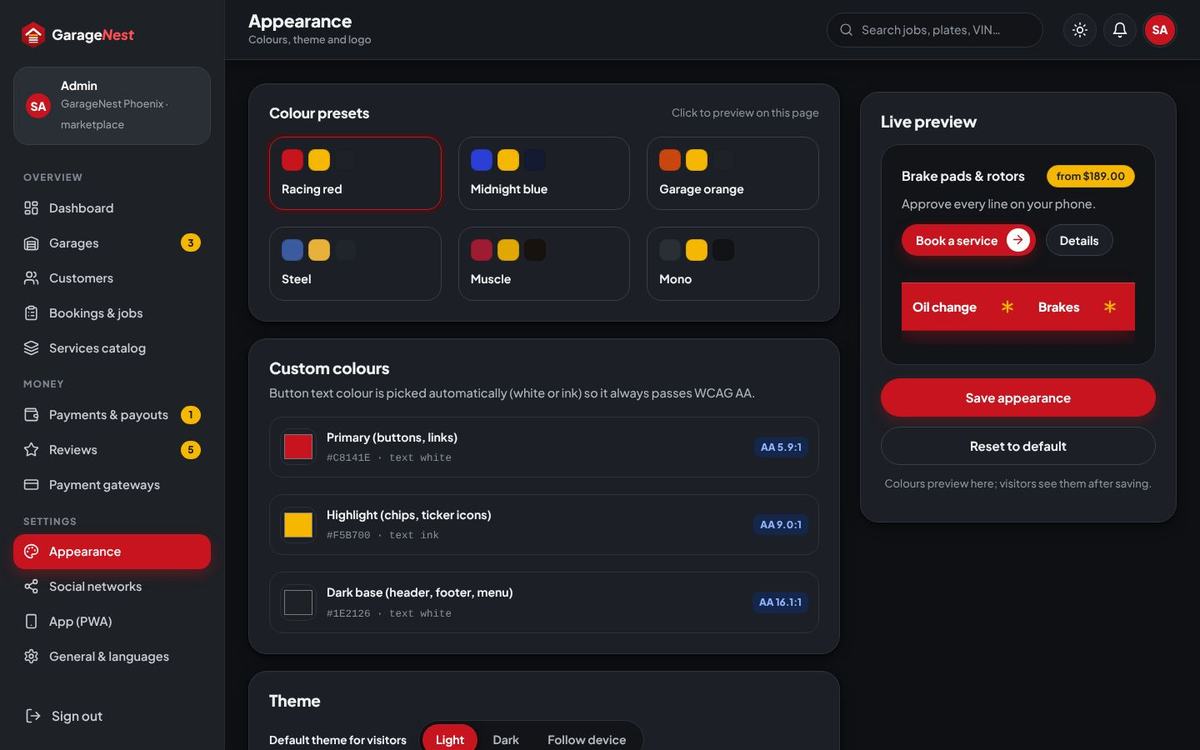
Six presets – Racing red (default), Midnight blue, Garage orange, Steel, Muscle and Mono – or your own primary, accent and base colours with a live preview and an AA contrast readout; the button text colour (white or dark) is chosen automatically so it always stays readable. Choose the default theme (light or dark) for new visitors and whether visitors may switch; their choice is remembered in the browser. Upload logos for light and dark backgrounds, the favicon, and pick the font.
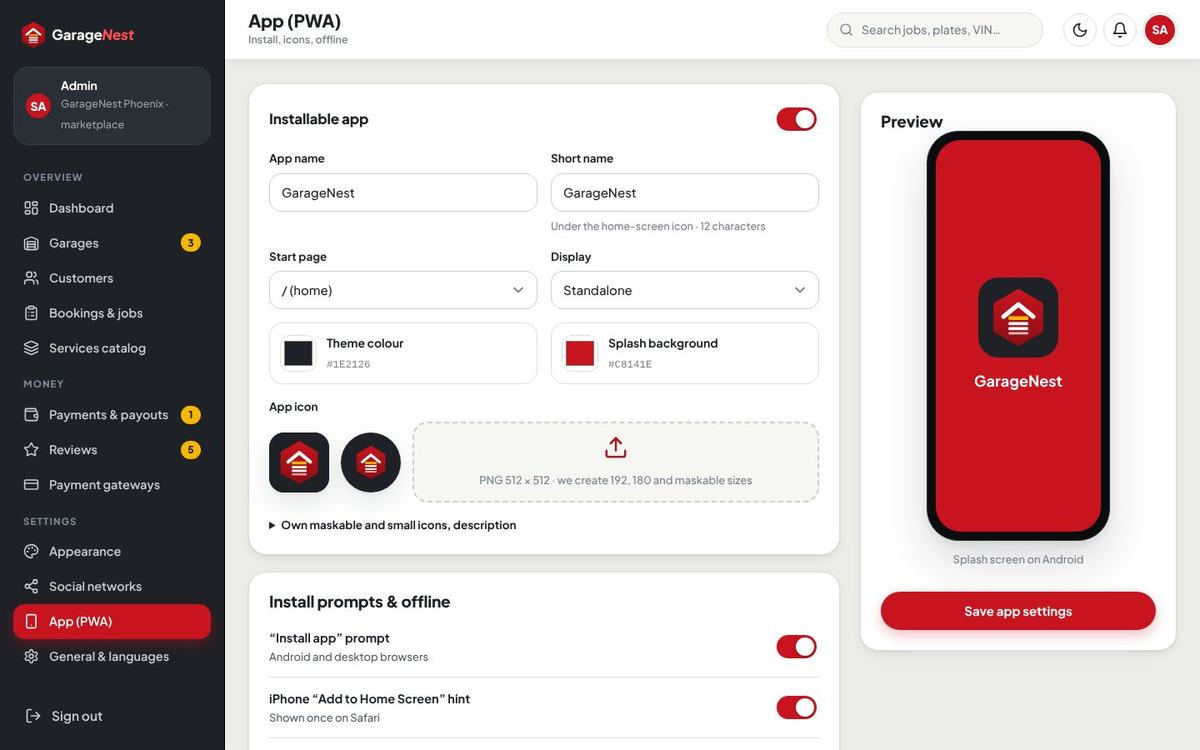
App (PWA)
GarageNest installs as an app on Android, iPhone and desktop – no app store. Set the app name, short name, start page, theme and background colours and the icons (192, 512 and maskable). Visitors see an “Install app” prompt on Android / desktop and an “Add to Home Screen” hint on iPhone; the home page has an install block with a QR code. The service worker caches only static files (CSS, JS, fonts, icons) and shows the offline page without a connection – private pages and customer data are never cached.

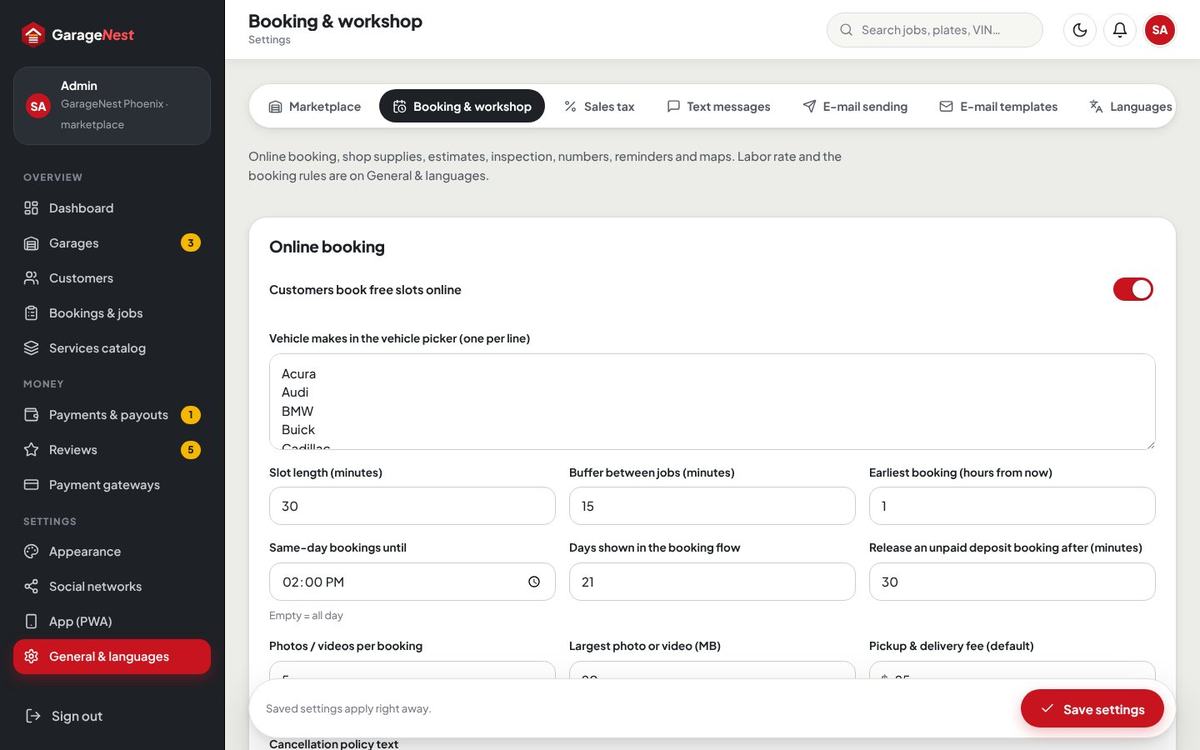
General, booking & workshop
General & languages holds the site mode, region (country, time zone, date format, miles or kilometres), the labor rate and the notification matrix: for each event (booking placed, estimate ready, car ready, invoice paid, reminders …) whether the bell, e-mail and text message are used. Booking & workshop holds the booking rules for every garage that has not set its own (see Garage booking rules), shop supplies, estimates, numbering, reminders and the map style (OpenFreeMap by default, no key needed).
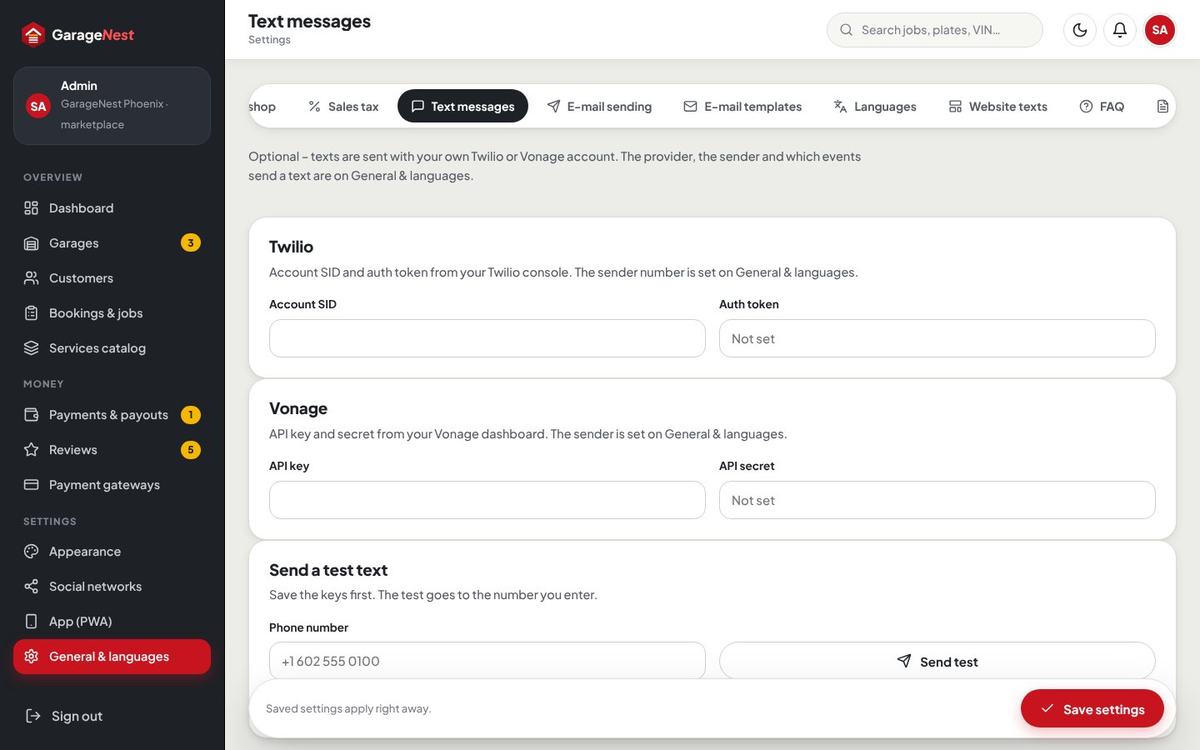
Text messages (Twilio / Vonage)
Text messages are optional. Choose the provider in General & languages (Off, Twilio or Vonage) with the sender number or name, then paste the keys in Text messages: Twilio Account SID and Auth token, or Vonage API key and secret. Send a test text checks it. Customers choose per topic whether they want texts.
E-mail sending & templates
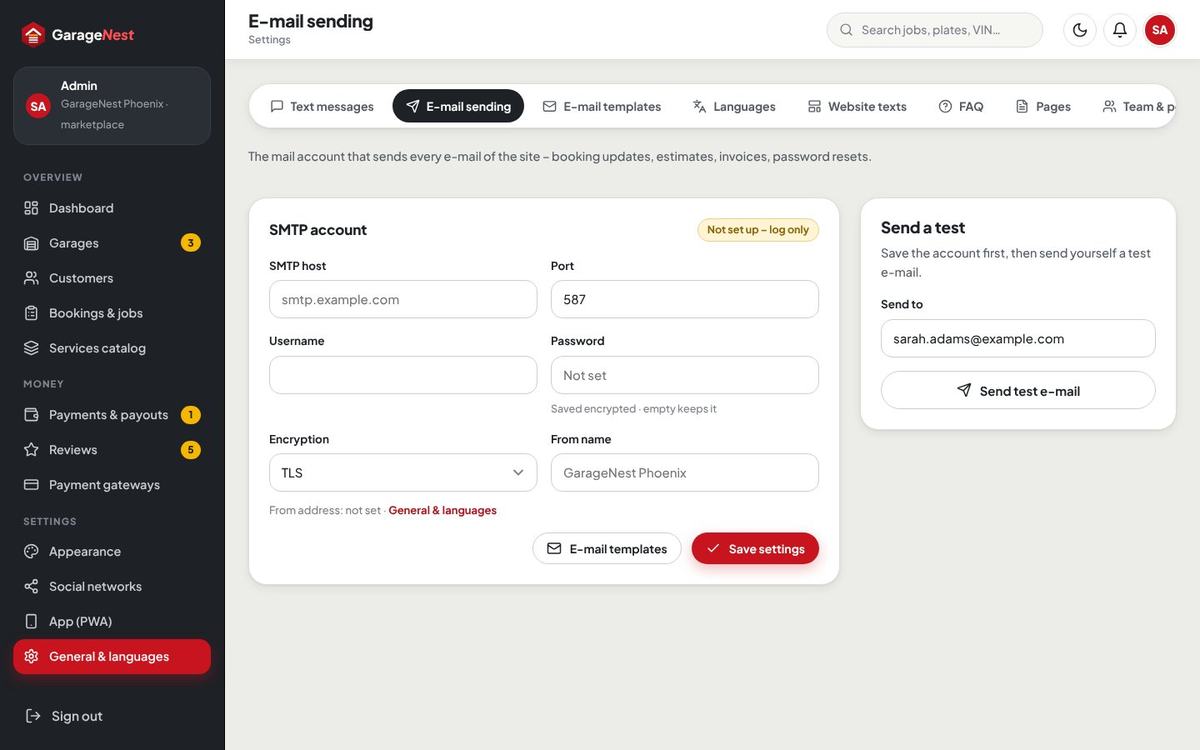
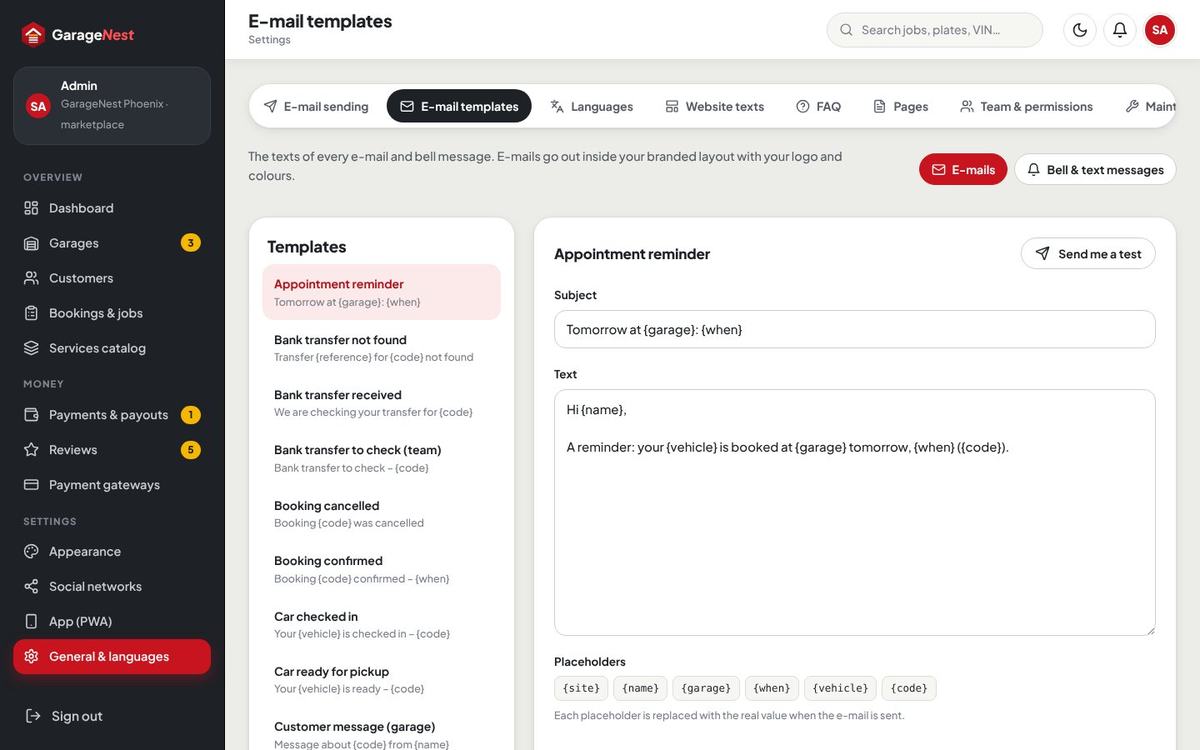
E-mail sending: SMTP host, port, encryption, user, password and from address, plus Send a test e-mail. E-mail templates: every e-mail and bell message (booking confirmed, appointment reminder, estimate ready, car ready, invoice, bank transfer approved, review request …) with its placeholders such as {name}, {vehicle}, {garage}, {when}. E-mails use your logo and colours.
Languages & auto-translate
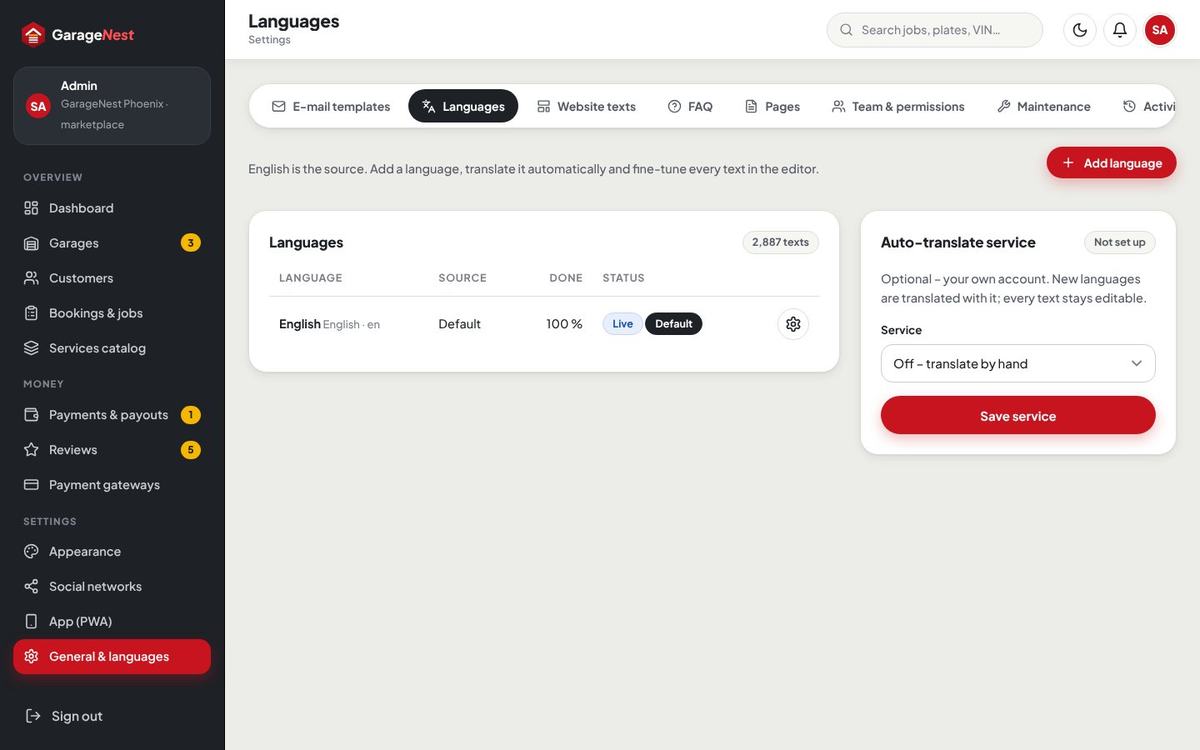
English is the source. Add language (for example Español), then translate in the editor – every text of the website, panels and e-mails, with search and progress. Auto-translate fills the empty texts through DeepL, Google Cloud Translation or LibreTranslate (your own key or server); every translation stays editable. Visitors pick a language in the footer; a language can be hidden while you work on it.
Website texts, pages & FAQ
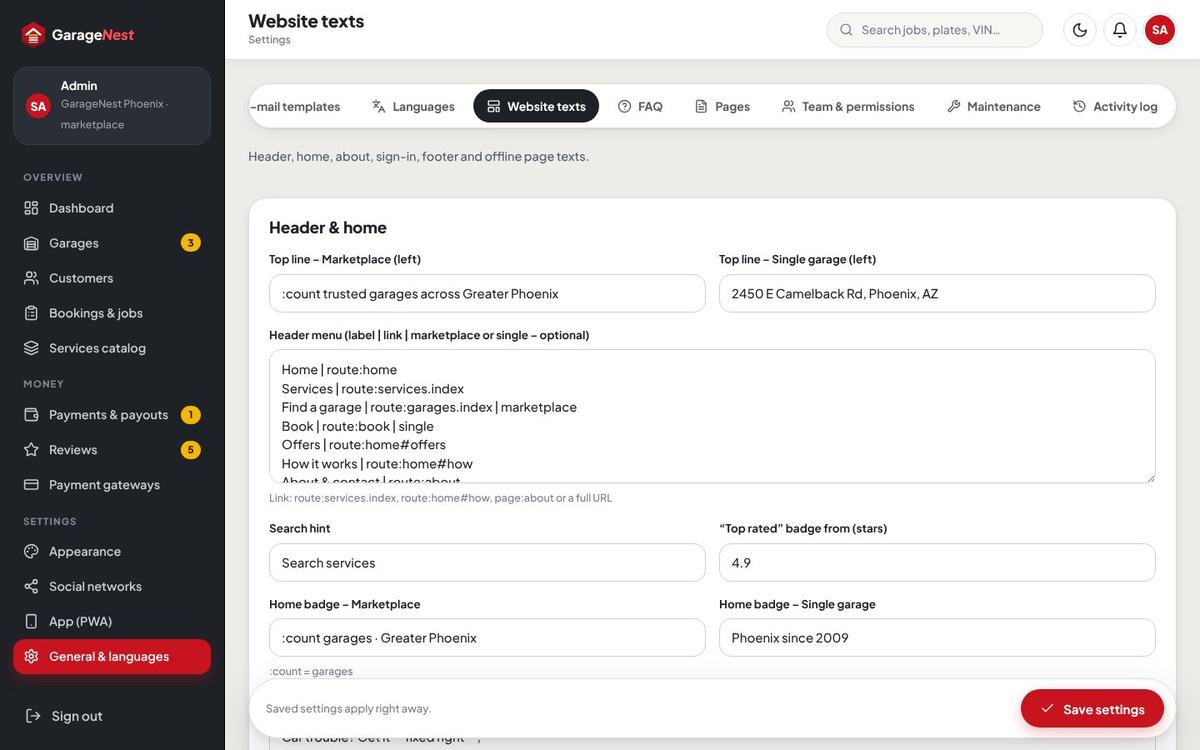
Every text, photo, list and number of the website is one field in Website texts: header & home, services pages, about & contact, sign-in page, footer, cookie notice and offline page. Write **word** for the italic highlight. FAQ holds the questions of the home and service pages; Pages holds terms, privacy, cancellation policy and your own pages at /p/your-page.
Team & permissions
Invite admin team members with the role admin or manager and tick the sections each may open: dashboard, garages, customers & messages, bookings & jobs, services catalog, payments & payouts, reviews, workshop, settings. Garage staff are managed by each garage in its own panel.
Backups & maintenance
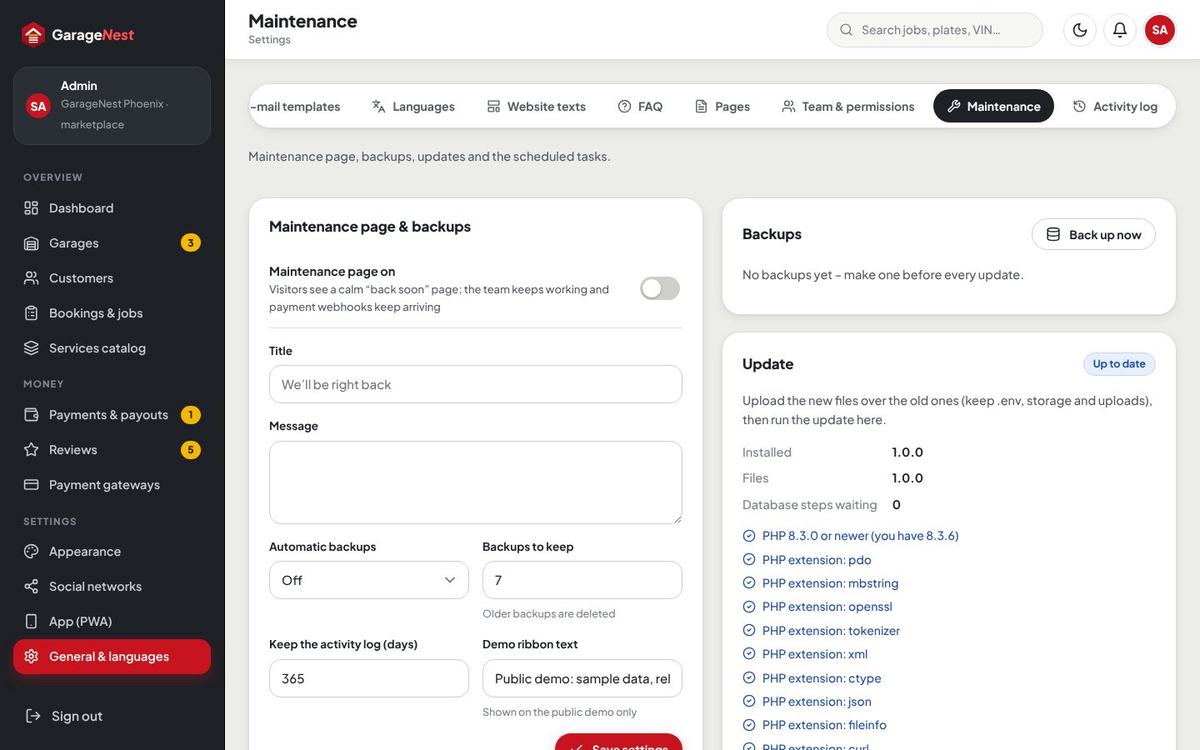
Maintenance: switch on a calm “back soon” page for visitors while the team keeps working (payment webhooks keep arriving); make a backup now or every night / every Sunday at 2 AM and keep the newest ones; download backups; see the installed version and run updates; copy the cron line; see the panel addresses.
Demo mode
For a public demo set in .env:
DEMO_MODE=true
APP_DEBUG=false- Visitors can book, approve estimate lines, follow the tracker and move jobs on the board, while settings, gateways, the team, deletes and the updater are locked. A short ribbon on top says it is a demo (text in Maintenance).
- The sign-in page shows one-click logins:
/demo-login/customer,/demo-login/garage,/demo-login/staff,/demo-login/admin. - No e-mail and no text message leaves the demo; uploaded files are replaced by samples.
- With the cron job running,
gn:demo-todaykeeps the day current every 5 minutes andgn:demo-resetreloads the demo every 6 hours. Run once after installing:php artisan gn:demo-reset --force.
Updating
- Make a backup (General & languages › Maintenance › Back up now) and download it with a copy of your files.
- Upload the files of the new version over the old ones. Keep
.env,storageandpublic/uploads. - Open General & languages › Maintenance › Update and press Run update (or run
php artisan gn:update). It applies the database changes and new default settings. - Reload with Ctrl + F5.
Artisan commands
| Command | What it does |
|---|---|
php artisan gn:admin-password you@example.com | New password for an admin or staff account (random when you leave it out). |
php artisan gn:backup | Compressed SQL backup now. |
php artisan gn:update | Database changes and new settings after uploading a new version. |
php artisan gn:daily | Unpaid bookings, estimate expiry, appointment reminders, review requests, service reminders. |
php artisan gn:prune | Old notifications and activity rows. |
php artisan gn:demo-reset --force | Fresh demo data (demo mode only). |
php artisan gn:demo-today | Moves the demo day to now (demo mode only). |
php artisan gn:scan-strings | Collects new texts for the translation editor. |
FAQ & troubleshooting
The page shows “500” or a blank page
Check that storage, bootstrap/cache and public/uploads are writable and that PHP is 8.3+. Set APP_DEBUG=true in .env for a moment to see the message, then set it back. The log is in storage/logs.
The installer does not start / shows 404
The .htaccess file did not reach the document root (hidden files) or mod_rewrite is off. Alternatively point the document root to public.
No free times are shown when booking
Check the garage’s opening hours, that at least one bay takes that service category and has online booking on, the earliest booking time and “same-day bookings until”, and the garage’s own booking rules on Bays & calendar.
E-mails do not arrive
Use Send a test e-mail in E-mail sending and read the message it returns. The from address should belong to your domain; ask your host for the SMTP details.
A card payment still shows as pending
Check that the webhook URL is added in the gateway dashboard with the events listed under Payment gateways and that the signing secret matches. PayPal needs no webhook.
Can customers pay monthly?
GarageNest takes one-time payments only – deposits, estimates and invoices. Packages are one-time too. Nothing renews.
Can I switch from Single garage to Marketplace later?
Yes, in General & languages › Site mode. Your garage becomes the house garage of the Marketplace; nothing is lost.
How do I move the admin or the panel to another address?
Set ADMIN_PATH and PANEL_PATH in .env; Maintenance shows the current addresses.
I forgot the admin password
Use “Forgot password” on the sign-in page, or run php artisan gn:admin-password you@example.com.
Credits & licences
- Laravel and PHP libraries (MIT), dompdf (LGPL), stripe-php (MIT).
- Font: Plus Jakarta Sans (SIL Open Font License). Icons: Lucide (ISC). Maps: MapLibre GL JS (BSD-3-Clause) with OpenFreeMap tiles (OpenStreetMap data). Licences in
public/assets/licenses. - Demo photos: free stock photos (Pexels licence, listed in
public/assets/licenses/PHOTO-CREDITS.txt); the demo people, garages and vehicles are invented.
Changelog
1.0.1 – November 2026
Updates: the one-click update (Maintenance page) and php artisan gn:update run correctly and keep the site mode.
Demo data: an open estimate in the demo now always stays valid for 7 days, also late on Saturday evening (the demo keeper sets the expiry after it moves the sample job).
1.0.0 – November 2026
Initial release: auto repair and garage booking script with two site modes (Single garage or Marketplace, switchable); public website with quick booking, services, one-time packages, garage search with map and garage profiles; online booking with real bay slots, vehicles by VIN or plate, photos, drop-off / lounge / pickup and deposits; customer area with dashboard, vehicles and service history, live job tracker, estimate approval line by line, invoices and receipts, reminders and two-step sign-in; garage / staff panel with dashboard, job board, job card, digital inspection, estimate builder, bays calendar with booking rules, customers, parts and purchase orders, invoices and counter payments, staff with clock in and pay models, profile and prices, reports; admin with dashboard, garages and applications, customers, jobs, services catalog, payments, commission and payouts, reviews; one-time payments with Stripe, PayPal, Paystack, Razorpay, bank transfer and pay at the garage; US sales tax by state; e-mail and text messages (Twilio / Vonage); light and dark theme, colour presets, social networks, installable app (PWA), languages with auto-translate, backups, one-click update and demo mode.
Social networks
A built-in list with icons – Facebook, Instagram, X, YouTube, TikTok, LinkedIn, WhatsApp, Phone / Call, Telegram, Threads, Pinterest, Snapchat, Discord, Email, Website and more. Switch each on, paste the link or number (WhatsApp and phone numbers are normalised), reorder them, replace an icon, or Add network with a name, link and your own icon (SVG is cleaned, PNG / WebP are re-encoded). They appear in the footer, on About & contact and in e-mails. In the Marketplace every garage has the same picker for its own links on its profile.